Managing Your Job Search Pipeline
Pipeline Management in Callings.ai means choosing a job hunt strategy that fits your situation, whether you need steady momentum, rapid acceleration, or precision targeting, and using the Job Tracker's stages, archiving, pinning, and notes to execute that strategy effectively.
Not everyone searches for a job the same way. Your timeline, energy level, and goals should shape how you use the Job Tracker. This guide presents three proven profiles to help you manage your pipeline with intention.
Note: These profiles are examples to help you get started. Feel free to adapt the suggested stages, timelines, and routines to fit your personal workflow and circumstances.
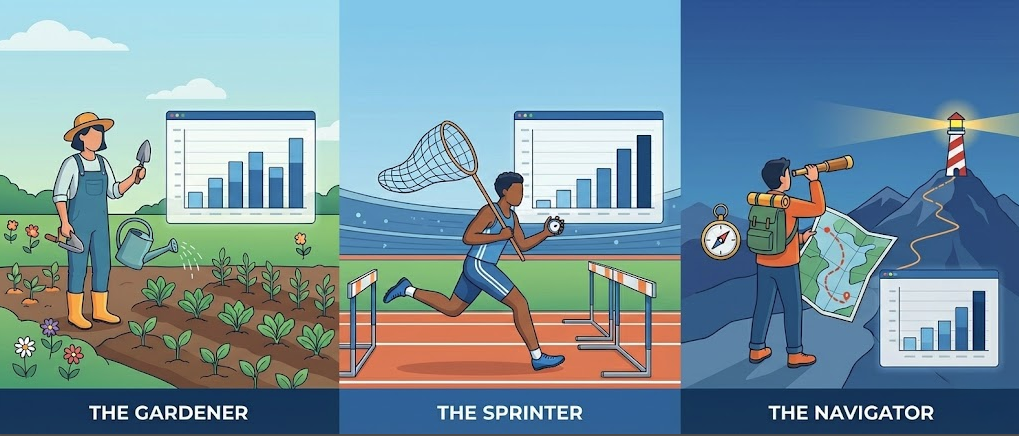
Choosing Your Profile
| Profile | Best For | Pipeline Size | Application Style | Overall Tempo |
|---|---|---|---|---|
| The Gardener | Balanced searchers | Medium (30-50) | Consistent and moderate | Steady |
| The Sprinter | Urgent timelines | Large (50-100) | High-volume bursts | Fast |
| The Navigator | Strategic, targeted | Small (10-25) | Highly customized | Deliberate |
Select the profile that matches your current situation. You can switch profiles as your circumstances change. Many job seekers start as a Sprinter, then shift to Gardener mode once they have momentum.
The Gardener
A steady, balanced pipeline for long-term momentum
What It Is
The Gardener approach treats your job search like tending a garden: consistent care, regular pruning, and patience. You maintain a healthy number of opportunities without overwhelming yourself, focusing on sustainable habits that compound over time.
When to Use This Profile
- You are in early or mid-search with no urgent deadline
- You want structure and balance in your weekly routine
- You prefer a predictable, sustainable rhythm
- You want enough opportunities to feel in control, not stressed
- You are currently employed and searching casually
Suggested Stages
Examples of job stage configurations (see Stage Management to customize your stages):
| Stage | Purpose | Color Suggestion |
|---|---|---|
| Not Started | Jobs saved but not yet reviewed | Gray |
| Researching | Actively learning about the company | Blue |
| Ready to Apply | Prepared and waiting for application time | Yellow |
| Applied | Application submitted | Purple |
| Interviewing | In active interview process | Orange |
| Offer | Received an offer | Green |
| On Hold | Paused, waiting on external factors | Gray |
This balanced set of stages gives you visibility into your pipeline without overcomplicating your workflow.
Pipeline Size
Active Jobs: 30-50 opportunities
Keep your pipeline large enough to maintain momentum but small enough to give each job proper attention. Use the Table View to see your complete pipeline at a glance and sort by match score to identify your best opportunities.
Weekly Additions: 3-7 new jobs
Add jobs from Matching Jobs or via the Chrome Extension as you browse job boards. Focus on jobs with 70%+ match scores to maintain quality.
Weekly Applications: 5-10 submissions
Batch your applications by grouping similar roles together. Use the Custom Resume and Custom Cover Letter tools to tailor materials efficiently.
Stage Behavior
Stage Movement: Move jobs every 5-7 days
Review your stages weekly. Jobs should flow naturally from "Not Started" to "In Progress" to "Applied" to "Interviewing" or "Waiting." Use Kanban View to visualize your pipeline flow and drag jobs between columns.
Stalled Jobs: Archive after 14 days of inactivity
If a job sits in "Not Started" for two weeks without action, either move it forward or archive it. Use the stage filters in Table View to identify stalled items quickly.
Archiving Rules: - Archive jobs you applied to with no response after 3 weeks - Archive jobs where you decided not to pursue - Archive closed or filled positions - Never delete unless it was added by mistake
Prioritization Pattern
Pinning: Pin 5-10 high-priority jobs
Use the pin feature in Table View or Split View for jobs with upcoming interviews, application deadlines, or your top-choice companies. Pinned jobs stay at the top regardless of sorting.
Focus vs. Expand: - When your pipeline drops below 30, add more jobs - When it exceeds 50, pause adding and focus on applications - Always prioritize 80%+ match score jobs for applications
Match Score Guidance: Review the Job Fit Report for each opportunity before deciding to apply. Jobs scoring 85%+ deserve your best effort.
Notes and Tracking Style
Detail Level: Moderate, enough to jog your memory
Record key details after each interaction: who you spoke with, what was discussed, and next steps. Use the Notes feature in the job detail panel.
What to Document: - Application date and method - Recruiter or contact names - Interview dates and formats - Your impressions and concerns - Follow-up reminders
Review Cadence: Read your notes before any call or interview. The Split View makes this easy: select a job on the left, review notes on the right.
Weekly Routine
Friday Pipeline Review (30 minutes):
- Open Kanban View and move jobs to appropriate stages (10 min)
- Check pipeline health: count active jobs, review stage distribution (5 min)
- Archive dead ends and delete duplicates (10 min)
- Plan next week: identify jobs to apply to, note upcoming interviews (5 min)
Daily Habits: - Morning: Check pinned jobs for any required action - Add 1-2 new jobs as you encounter them - Update stages after any interaction - Mark jobs as "Applied" immediately after submitting
Monthly Review
Clean-Up Tasks: - Archive everything 60+ days old with no activity - Review archived jobs to spot patterns - Delete obvious duplicates or mistakes
Metrics to Review: - Total applications submitted - Response rate (responses divided by applications) - Interview conversion rate - Which sources generated the best opportunities
Optimization Actions: - If response rate is below 15%, review your resume and targeting - If pipeline is shrinking, spend more time on job discovery - Update your Base Resume if your pitch has evolved
Best For
- Job seekers who want a reliable, repeatable system
- Those balancing a job search with current employment
- People who prefer consistency over intensity
- Anyone in a search expected to last 2-4 months
The Sprinter
A fast-paced, high-volume pipeline for quick job-hunt acceleration
What It Is
The Sprinter approach prioritizes speed and volume. You cast a wide net, move quickly through your pipeline, and aggressively prune anything that does not convert. This is an intensive strategy designed to generate interviews fast.
When to Use This Profile
- You need a job soon (unemployment, contract ending, relocation)
- You have the time and energy to move fast
- You are in early search mode and want rapid momentum
- You perform well under pressure and higher volume
- You want to test the market quickly
Suggested Stages
Examples of job stage configurations (see Stage Management to customize your stages):
| Stage | Purpose | Color Suggestion |
|---|---|---|
| New | Just added, needs triage | Gray |
| Quick Apply | Simple applications, minimal prep | Light Blue |
| Apply This Week | Prioritized for near-term submission | Blue |
| Applied | Application submitted | Purple |
| Responded | Received any response | Yellow |
| Interviewing | In active interview process | Orange |
| Offer | Received an offer | Green |
This streamlined set emphasizes speed and quick decision-making. The "Quick Apply" stage is key for high-volume efficiency.
Pipeline Size
Active Jobs: 50-100 opportunities
Maintain a large, active pipeline to maximize your chances. Use Table View with sorting and filtering to manage high volume effectively.
Weekly Additions: 10-15 new jobs (or 2-3 daily)
Aggressively add jobs from Matching Jobs and use the Chrome Extension while browsing Indeed, LinkedIn, and company sites. Accept jobs with 60%+ match scores to keep volume high.
Weekly Applications: 15-25 submissions
Batch applications in focused sessions. Use Custom Resume templates for similar roles to speed up customization. Prioritize speed over perfection for jobs scoring 60-75%; invest more effort in 80%+ matches.
Stage Behavior
Stage Movement: Move jobs every 1-3 days
Rapid progression is key. If you have not acted on a job within 3 days, decide: apply now, or archive it. Use Kanban View daily to drag jobs forward.
Stalled Jobs: Archive after 7 days of inactivity
Be ruthless. A stalled job is a distraction. Archive anything you have not touched in a week. You can always unarchive later if circumstances change.
Archiving Rules: - Archive immediately after rejection - Archive jobs with no response after 2 weeks - Archive anything below 60% match that has not progressed - Prune your pipeline twice per week
Prioritization Pattern
Pinning: Pin 10-15 jobs maximum
Pin your hottest opportunities: scheduled interviews, final-round candidates, and dream companies. Review pinned jobs daily.
Daily Triage: - Each morning, review new jobs added yesterday - Decide immediately: apply today, apply this week, or archive - Do not let jobs linger in "Not Started"
Match Score Guidance: Apply to everything 70%+ without overthinking. For 60-70% matches, apply quickly with minimal customization. Reserve deep preparation for 85%+ matches.
Notes and Tracking Style
Detail Level: Lightweight but frequent
Keep notes brief. Focus on actionable information: next steps, follow-up dates, and key contact names. Use bullet points, not paragraphs.
What to Document: - Application submitted (date, method) - Response received (date, from whom) - Interview scheduled (date, time, format, interviewer) - One-line impressions after each interaction
Review Cadence: Quick scan before any interaction. Use Split View to rapidly review notes while working through your list.
Weekly Routine
Mini Reviews (3x per week, 15 minutes each):
- Monday: Plan the week's applications, identify targets
- Wednesday: Mid-week triage, archive non-performers, add fresh jobs
- Friday: Week-end clean-up, update stages, review what converted
Daily Habits: - Morning: 30-minute application session (batch 3-5 applications) - Afternoon: Add 2-3 new jobs from job boards - Evening: Update stages for any responses received - Respond to recruiter messages within 24 hours
Monthly Review
Conversion Analysis: - Which job boards generated interviews? - Which role types got the best response rates? - Where are you wasting time?
Optimization Actions: - Double down on sources that convert - Abandon job boards with zero response - Tighten your targeting if quality is suffering - Adjust your Ideal Job preferences in your profile settings
Pipeline Reset: - Archive everything 45+ days old - Clear out low-match jobs you have been ignoring - Refresh your pipeline with new, high-potential opportunities
Best For
- Recently unemployed job seekers
- Those with urgent timelines (relocation, visa, contract end)
- High-energy individuals who thrive on momentum
- Early-stage searchers who want fast market feedback
- Anyone willing to trade depth for speed
The Navigator
A focused, strategic pipeline for selective job seekers
What It Is
The Navigator approach prioritizes precision over volume. You maintain a small, carefully curated pipeline of high-quality opportunities. Each job receives deep research, thorough preparation, and personalized outreach. Quality trumps quantity.
When to Use This Profile
- You are targeting a specific type of company or role
- You are applying to fewer but higher-quality opportunities
- You are currently employed and searching selectively
- You are pursuing senior, executive, or specialized positions
- You have a strong network and want to leverage referrals
- You prefer depth over breadth
Suggested Stages
Examples of job stage configurations (see Stage Management to customize your stages):
| Stage | Purpose | Color Suggestion |
|---|---|---|
| Discovered | Identified as a potential target | Gray |
| Researching | Deep-diving into company and role | Blue |
| Networking | Building connections before applying | Teal |
| Preparing | Customizing materials for this specific role | Yellow |
| Applied | Application submitted | Purple |
| Interviewing | In active interview process | Orange |
| Negotiating | Discussing offer terms | Light Green |
| Offer | Final offer received | Green |
This detailed set reflects the Navigator's emphasis on preparation and relationship-building before applying.
Pipeline Size
Active Jobs: 10-25 opportunities
Keep your pipeline small and intentional. Every job in your tracker should be one you would genuinely accept. Use Table View filtered by match score to focus on your best fits.
Weekly Additions: 1-3 new jobs
Add jobs only when they meet your high standards. Use Matching Jobs with strict filters, or add jobs manually when you identify target companies. Minimum match score: 80%.
Weekly Applications: 2-5 submissions
Each application is a significant investment. Use Custom Resume and Custom Cover Letter with substantial customization. Research each company thoroughly using the Company Report tool before applying.
Stage Behavior
Stage Movement: Move jobs every 7-14 days
Allow more time in early stages for research and networking. A job might stay in "Not Started" for a week while you research the company and identify contacts.
Stalled Jobs: Review after 21 days, decide intentionally
Do not auto-archive. Evaluate each stalled job individually. Some high-value opportunities take time. Archive only when you have made a deliberate decision.
Archiving Rules: - Archive after a clear rejection - Archive if the role closes or is filled - Archive if your research reveals deal-breakers - Keep opportunities alive longer if networking is in progress
Prioritization Pattern
Pinning: Pin 3-5 top-priority jobs
Your pinned jobs are your primary focus. These are the opportunities where you are investing significant preparation and networking effort.
Selection Criteria: - 85%+ match score minimum for most jobs - Company culture and values alignment - Growth potential and career trajectory - Compensation expectations
Match Score Guidance: Only apply to jobs where the Job Fit Report shows strong alignment. Use the report details to customize your pitch for each specific opportunity.
Notes and Tracking Style
Detail Level: Rich and comprehensive
Treat your notes as a research dossier. Document everything you learn about the company, role, team, and decision-makers.
What to Document: - Company research: culture, recent news, strategic priorities - Role analysis: responsibilities, success metrics, challenges - Networking contacts: who you know, who to reach out to - Interview preparation: likely questions, stories to tell - Compensation research: market rates, benefits expectations
Review Cadence: Review notes before any touchpoint. Update notes after every interaction, article read, or insight gathered.
Weekly Routine
Prep-Focused Review (45 minutes, once per week):
- Review each active opportunity in Split View (15 min)
- Identify networking actions: who to contact, what to research (15 min)
- Plan application and interview prep activities (10 min)
- Update notes with new research and insights (5 min)
Daily Habits: - Research: spend 20-30 minutes learning about target companies - Networking: send 1-2 outreach messages via LinkedIn or email - Preparation: work on customized materials for upcoming applications - Use the Network tools to draft personalized outreach messages
Monthly Review
Traction Evaluation: - Which companies are progressing? - Where are you stuck? - Are your targets realistic?
Criteria Adjustment: - Refine your target company list - Adjust role requirements based on market feedback - Update your Ideal Job preferences if needed
Materials Refresh: - Update your Base Resume with new accomplishments - Refresh your portfolio or work samples - Revise your networking pitch
Best For
- Senior professionals and executives
- Specialized or niche role seekers
- Passive job seekers with a current position
- Those targeting specific companies
- Anyone who values quality over quantity
- Candidates with strong networks to leverage
Switching Between Profiles
Your job search is not static. Many successful candidates move between profiles as their situation evolves:
Sprinter to Gardener: Once you have generated initial momentum and interviews, scale back to a sustainable pace.
Gardener to Navigator: If you land interviews with dream companies, narrow your focus and invest deeply in those opportunities.
Navigator to Sprinter: If your targeted approach is not generating traction after 6-8 weeks, broaden your search to test the market.
Frequently Asked Questions
Q: How do I know which profile to choose?
A: Consider your timeline and energy. Need a job in 4-6 weeks? Start as a Sprinter. Have 3-6 months and want balance? Be a Gardener. Targeting specific companies with no urgency? Navigate strategically.
Q: Can I combine elements from different profiles?
A: Yes, but be intentional. The profiles work because they are coherent systems. Cherry-picking without understanding the tradeoffs can create confusion. Start with one profile, then adjust based on results.
Q: How do stages work with these profiles?
A: Stages are customizable to match your workflow. Each profile suggests different stage configurations; use them as starting points and adjust based on your needs.
Q: Should I track jobs I applied to outside Callings.ai?
A: Absolutely. Add any job you are actively pursuing, regardless of where you found it. Use Manual Entry to add jobs from company websites, referrals, or recruiters. Your tracker should be your single source of truth.
Related Topics
- Job Tracker Overview - Understand the complete Job Tracker system
- Kanban View - Visual pipeline with drag-and-drop stage management
- Table View - Spreadsheet-style job management with sorting and filtering
- Split View - Dual-pane layout for efficient review
- Job Fit Report - Understanding match scores
- Custom Resume - Tailoring your resume for each application
- Company Report - Researching target companies
- Notes and To-Do Items - Detailed note-taking strategies
A well-managed pipeline transforms the chaos of job hunting into a systematic process you control. Whether you're a Gardener cultivating steady progress, a Sprinter racing toward opportunity, or a Navigator charting a precise course, the right strategy keeps you focused, organized, and moving forward with confidence.