Job Market Reports
Job Market Reports give you a monthly snapshot of hiring activity, compensation, and opportunity in your industry and metro area. They are AI-generated, refreshed every month, and grounded in public labor-market data so you can plan your search around what's actually happening on the ground, not last year's headlines.
Where the Market Fit Report zooms in on you (your skills, your positioning, your fit), Job Market Reports zoom out to the market itself (your industry, your city, this month).
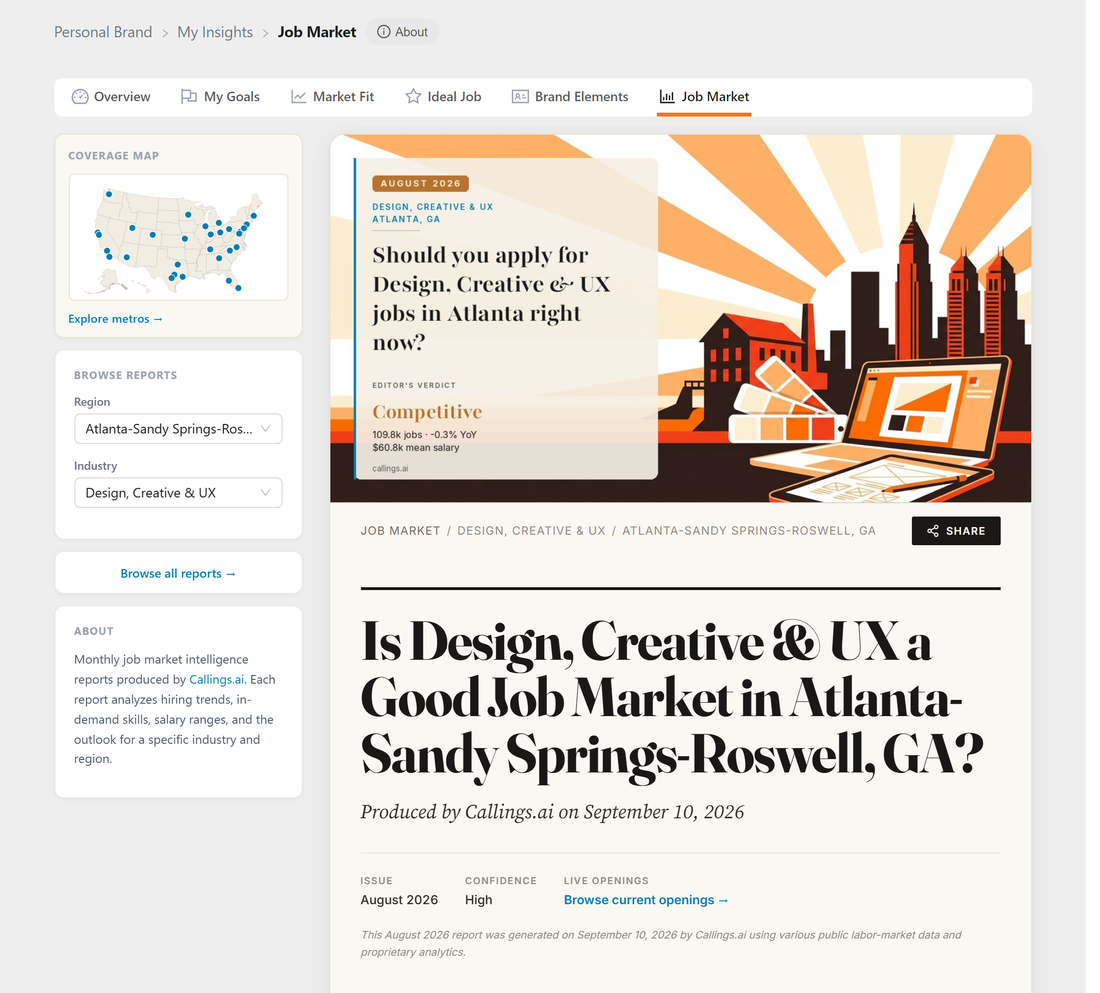
Coverage
We publish close to 700 reports every month: 23 industry categories across 30 major U.S. metro areas. Each (industry × metro) combination gets its own dedicated report, and each industry also gets a national report covering the United States as a whole, built from national data series and the national job-posting picture rather than any one metro. On top of those, an all-industries report covers the job market as a whole: one for the United States and one for each metro.
Regions covered
We cover the largest U.S. metropolitan statistical areas, organized by region:
- Northeast: New York, Boston, Philadelphia, Washington DC, and surrounding metros
- South: Atlanta, Dallas, Houston, Austin, Miami, Charlotte, Nashville, and others
- Midwest: Chicago, Minneapolis, Detroit, Indianapolis, Columbus, and others
- West: San Francisco Bay Area, Los Angeles, Seattle, Denver, Phoenix, San Diego, and others
- National: One United States report per industry, published on that industry's page, plus one report on the whole US job market (see below)
- Every metro as a whole: One all-industries report per metro, published on that metro's page (see below)
Use the interactive coverage map in the sidebar to see which metros have reports available and which industries are covered in each one.
Industries covered
Each region has a report for the most-hiring industries, including:
- Software, IT & Cybersecurity
- Management, Product & Project
- Finance & Accounting
- Healthcare & Life Sciences
- Engineering & Scientific
- Sales, Marketing & Communications
- Operations, Supply Chain & Logistics
- Education & Training
- Construction, Trades & Real Estate
- Government & Public Sector
Refresh cadence
Reports are regenerated every month. Each report is timestamped (e.g. April 2026 Job Market) so you can tell at a glance how fresh it is, and the latest month is always what you see.
Browsing reports
You can reach the Job Market browser two ways:
- From My Insights: Click the View Job Market button on the Job Market card in My Insights. We pre-select the report that best matches your profile (your closest covered metro, ranked against your top sectors from the Market Fit Report).
- From the public site: Navigate to
/job-marketto explore all available reports without signing in.
AI Job Search also shows the report that matches your search, in a banner above the results.
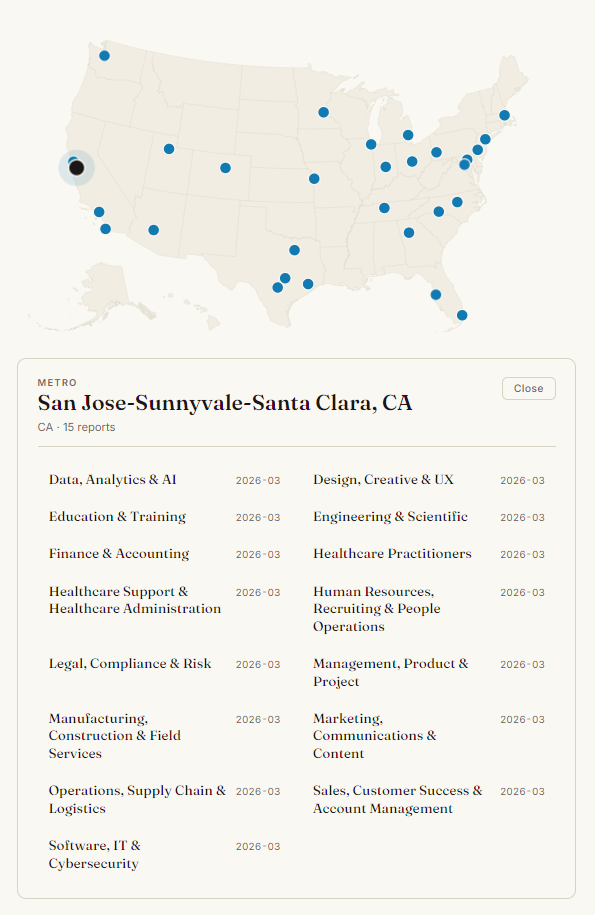
The browser has three navigation surfaces, all in the left sidebar:
| Surface | Use it to... |
|---|---|
| Coverage map | Click a metro pin to see every industry report available there |
| Industry / Region dropdowns | Quickly jump to a specific (industry × metro) combination |
| Browse all reports | See the complete table-of-contents grouped by region |
When you change the industry or region while signed in, you stay inside My Insights: the tab strip and breadcrumb persist so you keep your context.
Industry pages
Every industry has its own page at /job-market/{industry} (for example /job-market/retail). It shows the industry's national report, then a table comparing the latest report of every metro side by side: market rating, confidence, active postings over the last 90 days and advertised pay. Each row links to that metro's full report and to its live openings. On a phone the table becomes one card per metro.
The US job market
/job-market/united-states is the report on the US job market as a whole: is now a good time to look for a job, which sectors are adding jobs and which are cutting, and what to do about it. Under it, a table compares every industry's national report: market rating, confidence, active postings and advertised pay, each row linking to that industry's page. Reach it from the link at the top of /job-market, from All industries in the sidebar's Industry dropdown, or from the top of the full report directory.
Metro pages
Every metro has its own page at /job-market/{metro} (for example /job-market/denver-aurora-centennial). It opens with that metro's all-industries report: is now a good time to look for a job there, which industries are hiring and which are cutting, and what to do about it. Under it, a table compares the latest report of every industry in the metro: market rating, confidence, active postings and advertised pay, each row linking to the full report and to its live openings. On a phone the table becomes one card per industry. Reach a metro page from Job market by metro at the top of /job-market, from Every industry in this metro when you click a pin on the coverage map, or from the link at the foot of any report for that metro.
The trail at the top of every page reads Job Market > Industry > Metro (or Job Market > United States for the US report, Job Market > Metro for a metro page): click the industry to reach its page, or Job Market to go back to the full directory. Industry names in the directory link to their pages too.
Under the report title, beside the issue month and confidence level, Live openings links straight to current postings for that industry and metro, so you can go from the analysis to the jobs it describes.
Where the data comes from
Each report is synthesized by AI from a blend of public, official, and proprietary signals so the picture you get reflects what's actually happening on the ground:
- Official government statistics: Employment levels, unemployment rates, labor force participation, and wage data from the U.S. Bureau of Labor Statistics (BLS) and the Federal Reserve Economic Data (FRED) series.
- WARN notices: State-level Worker Adjustment and Retraining Notification filings, which surface upcoming layoffs and plant closings before they show up in the headlines.
- Regional news coverage: Local business journals and regional press for hiring announcements, expansions, relocations, and policy changes specific to each metro.
- Industry-specific publications: Trade press and sector-focused outlets that cover hiring trends, skills shifts, and emerging sub-sectors in depth.
- The Callings.ai job database: Live job postings aggregated across our partner sources, used to ground the report in what employers are actually hiring for this month in this metro.
The Methodology & Confidence section at the bottom of every report calls out which signals were strongest and where the analysis is making more cautious estimates, so you can judge each section accordingly.
How these reports help your job hunt
Job Market Reports answer the questions you actually need answered before you commit to a search strategy:
- "Is now a good time to look in my city?": The executive verdict and "What Changed Recently" section give you an honest read on hiring momentum.
- "What salary should I be targeting?": The Salary Reality section translates national survey data into a realistic range for your metro.
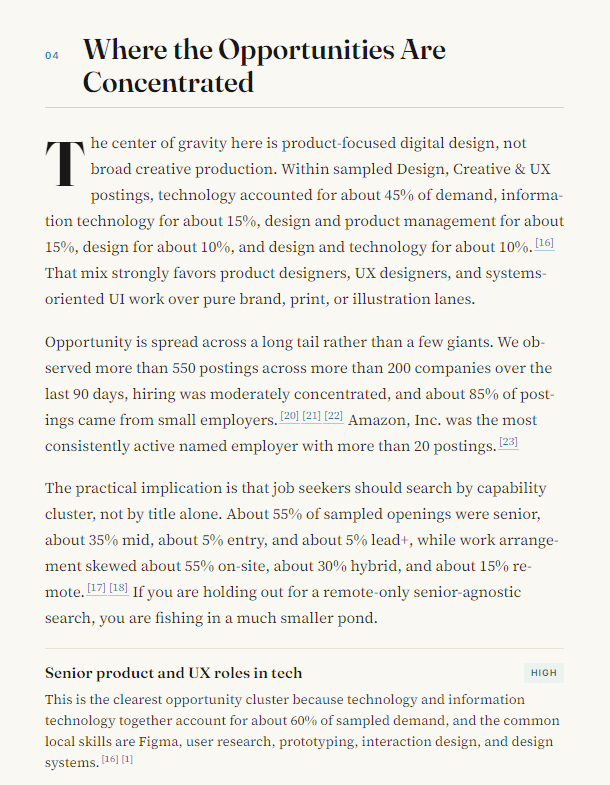
- "Where are the openings actually concentrated?": Learn which sub-sectors, employer types, and neighborhoods are doing the hiring right now.
- "What skills should I lead with on my resume?": Skills Spotlight tells you which skills are showing up in job posts this month.
- "What roles should I consider beyond my obvious target?": Adjacent Roles helps you see lateral options you may not have considered.
- "What should I do this week?": The 30/60/90-Day Plan turns the analysis into concrete next steps.
Used together with the rest of My Insights, this gives you a full picture: your goals (My Goals), your story (Personal Branding), your fit (Market Fit Report), and finally: your market right now (Job Market Report).
Report structure
Every report follows the same structure so you always know where to look. Sections render in order, and any section that doesn't apply for a given (industry × metro) is automatically hidden.
| # | Section | What it covers |
|---|---|---|
| 1 | Executive Summary | The headline read on the market for this industry in this metro, with a market rating (e.g. Strong Market, Mixed) |
| 2 | What Changed Recently | Notable shifts over the past 30–90 days: new hiring, layoffs, regulatory or policy changes |
| 3 | What This Means for You | Practical guidance for new grads, career changers, and experienced candidates |
| 4 | Salary Reality | Realistic compensation ranges for the metro, with cost-of-living context |
| 5 | Where the Opportunities Are Concentrated | Sub-sectors, employer types, and notable companies driving the hiring |
| 6 | Skills and Credentials Worth Pursuing | Skills, certifications, and tooling that are in demand this month |
| 7 | Adjacent Roles to Consider | Lateral roles where your experience transfers well |
| 8 | 30 / 60 / 90-Day Plan | A staged action plan you can run starting tomorrow |
| 9 | National Update | National-level context to compare against your local market |
| 10 | Regional Update | Trends specific to your broader region (Northeast, South, etc.) |
| 11 | Skills Spotlight | A deeper read on one or two skills shaping the market this month |
| 12 | Outlook | Forward-looking view for the next quarter |
| 13 | Methodology & Confidence | How the report was generated and where the confidence level is high vs. lower |
Charts
Each report now includes a Charts section that turns the underlying labor-market data into a handful of focused visuals. Where the prose sections give you the read, the charts give you the picture: what hiring momentum looks like over time, how compensation stacks up against the national line, where the openings are concentrated by sub-sector, and how skills demand is trending month over month.
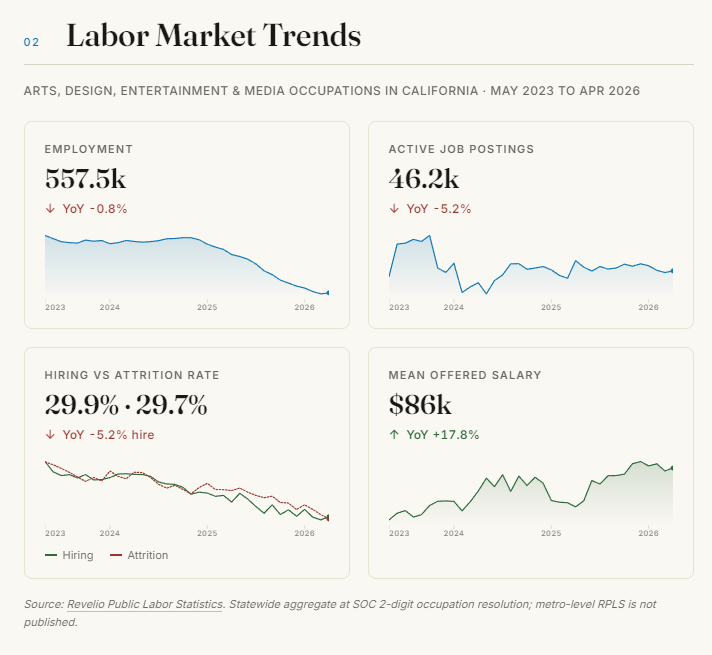
A few things worth knowing about the charts:
- They are built from the same data the report is written from. The BLS series, FRED indicators, WARN filings, and the live Callings.ai job database all feed the charts so the numbers line up with the prose.
- They are scoped to your selected industry and metro. Switching the industry or region dropdown in the sidebar refreshes the charts along with the rest of the report.
- They refresh monthly. The same monthly regeneration that updates the prose also rebuilds the charts, so the visuals always reflect the most recent month of data.
- Hover for the exact numbers. Each data point has a tooltip with the precise value, the time period, and (where relevant) the source series.
Charts are the fastest way to spot a turning point. If the prose says "hiring has cooled" and the chart shows three months of flat-to-down movement, you have a clean signal you can act on; if the chart is bouncing inside a normal range, you can treat the prose as caution rather than alarm.
Frequently Asked Questions
Q: Which report do I see by default in My Insights? A: We pick the closest covered metro to your stored location (within ~250 miles), then choose the industry that best matches your top sector from your Market Fit Report. If we can't find a regional match, we fall back to the National report. If you don't have a Market Fit Report yet, we default to the most popular industry for your region.
Q: Can I switch metros or industries? A: Yes. Use the dropdowns in the left sidebar, or click any pin on the coverage map. While signed in, you stay inside My Insights.
Q: Are these reports specific to me, or are they the same for everyone? A: They're the same for everyone in a given (industry × metro) combination: these are market reports, not personal reports. The personalization layer is choosing which report to surface to you. For personalized analysis of your background, use the Market Fit Report.
Q: Where does the data come from? A: Reports are generated using public labor-market sources, government statistics, employer-disclosed data, and the Callings.ai job database (live job postings aggregated across our partner sources), then synthesized by AI. Each report includes a Methodology & Confidence section that calls out where it's drawing strong signals vs. making more cautious estimates.
Q: How often are reports updated? A: Monthly. The header on each report shows the report month so you can tell at a glance how fresh it is.
Q: Is there a report for the whole country?
A: Yes, two kinds. The US job market report, /job-market/united-states, covers every industry at once and compares the industries side by side. And each industry has its own national (United States) report, shown at the top of its industry page, /job-market/{industry}, which also compares every metro we cover for that industry, so you can see how far your city sits from the national picture.
Q: Do you cover my city? A: Open the coverage map in the sidebar to see every covered metro and the industries available in each one. If your metro isn't listed yet, the closest covered metro is usually a strong proxy for your local market.
The Job Market Report turns "I have no idea what my market looks like right now" into a clear, monthly briefing: so you can make decisions about where to focus, what to ask for, and what to learn next, with real signal behind every choice.