Personal Branding Content
Brand Elements is a Callings.ai feature that generates ready-to-use personal branding content from your resume, including a 20-second elevator pitch, 2-minute networking pitch, professional summary for LinkedIn, attention-grabbing headlines, and key achievements, all fully editable so you can refine them until they feel authentically you.
You are your first audience. If you don't believe in your personal brand, no one else will. Your Brand Elements help you articulate your professional value with clarity and confidence, starting with yourself.
Callings.ai uses AI to generate a first draft of your brand elements, so you never have to start with a blank page. Based on your primary resume and career history, we create polished, ready-to-use language for LinkedIn profiles, networking events, cover letters, and more. Note: If you have multiple resumes uploaded, Callings.ai uses the one marked Primary to generate these brand elements. Everything is fully editable. Refine the content until it feels authentically you.
Card Layout
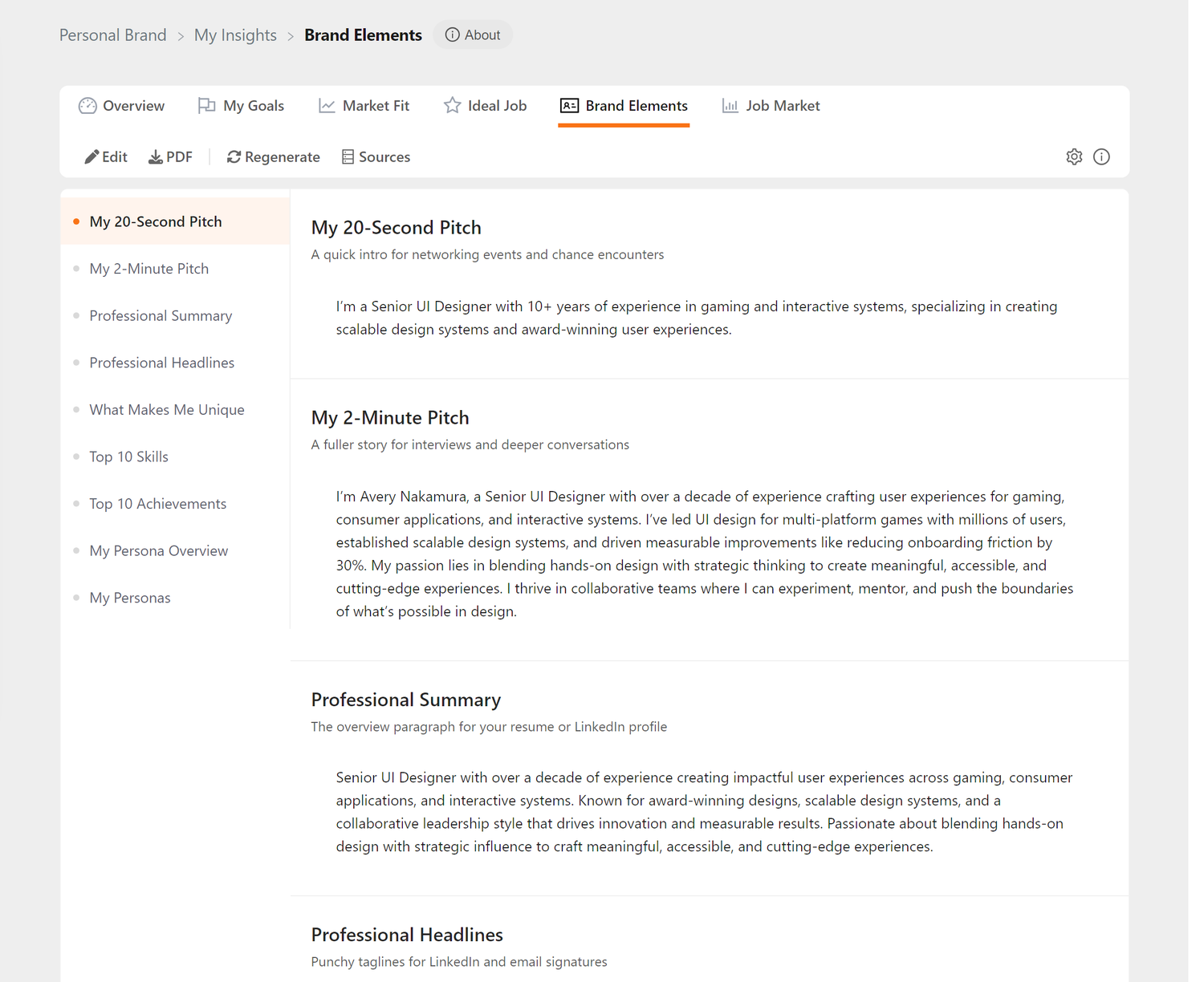
Brand Elements sits under the My Insights tab strip, with a toolbar above a content area that has its own side navigation.
Header Utility Icons
At the right-hand end of the toolbar you'll find:
| Icon | Purpose |
|---|---|
| ⚙️ Settings | Opens a modal to configure paper size for PDF exports |
| ℹ️ Info | Opens a quick tips modal with usage guidance |
Card Toolbar
The toolbar provides quick actions:
| Button | Action |
|---|---|
| Edit | Opens the editor modal for the currently visible section |
| Download all your brand elements as a formatted PDF document | |
| Regenerate | Generate fresh brand elements based on your current resume (requires subscription) |
| Sources | Shows which parts of your profile and resume the content was drawn from |
Side Navigation
The page uses a side navigation layout with all nine brand element sections listed on the left and content displayed on the right. Click any section name to scroll directly to that content:
- My 20-Second Pitch - Quick intro for networking
- My 2-Minute Pitch - Fuller story for interviews
- Professional Summary - Third-person bio for LinkedIn/resume
- Professional Headlines - Punchy taglines for profiles
- What Makes Me Unique - Your differentiators
- Top 10 Skills - Core competencies
- Top 10 Achievements - Career highlights
- My Persona Overview - A high-level summary of your professional identity
- My Personas - Distinct professional identities that highlight your unique capabilities
Editing a Section
Edit in the toolbar opens the editor modal. The modal lists all nine sections down its left side, so you can move between them without closing it, and Save All Changes commits every section you touched at once.
What Are Brand Elements?
Based on your primary resume and career history, Callings.ai generates essential communication tools:
- My 20-Second Pitch - An elevator pitch for quick introductions
- My 2-Minute Pitch - A fuller story for networking conversations
- Professional Summary - A third-person bio for LinkedIn, resumes, and applications
- Professional Headlines - Attention-grabbing one-liners for profiles and bios
Each element is: - Tailored to your experience - Highlights your unique strengths and accomplishments - Optimized for impact - Uses compelling language that resonates with hiring managers - Ready to use - Copy and paste into any context - Editable - Customize to match your voice and specific use cases
Benefit: Never struggle with "tell me about yourself" again. Have professional, polished answers ready for any situation.
My 20-Second Pitch
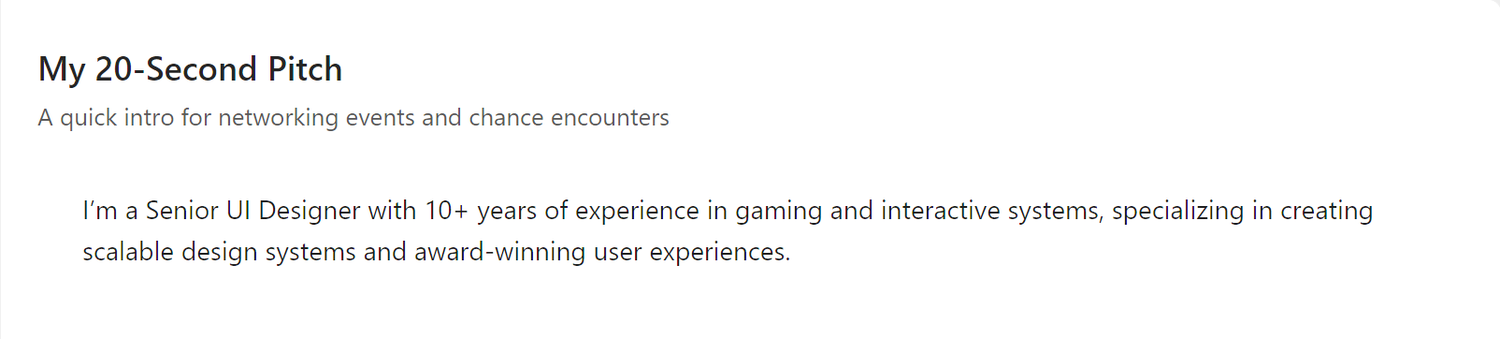
The 20-Second Pitch is your quick introduction: what you say when someone asks "What do you do?"
Example:
"I'm a Senior UI Designer with 10+ years of experience in gaming and interactive systems, specializing in creating scalable design systems and award-winning user experiences."
When to Use It
- Networking events - First impressions at conferences or meetups
- LinkedIn headline - Your profile's attention-grabber
- Email signatures - Professional context for recipients
- Social media bios - Twitter, Instagram, personal website
- Casual introductions - When you meet someone at a coffee shop
Benefit: Communicate your value proposition in the time it takes to get on an elevator, literally. This pitch is memorable, clear, and sets the tone for deeper conversations.
Key Elements
A strong 20-second pitch includes: - Your role - Senior UI Designer - Experience level - 10+ years - Core expertise - Gaming and interactive systems - Unique differentiator - Scalable design systems - Value you create - Award-winning user experiences
Tip: Memorize this pitch so you can deliver it naturally, with confidence, in any setting.
My 2-Minute Pitch
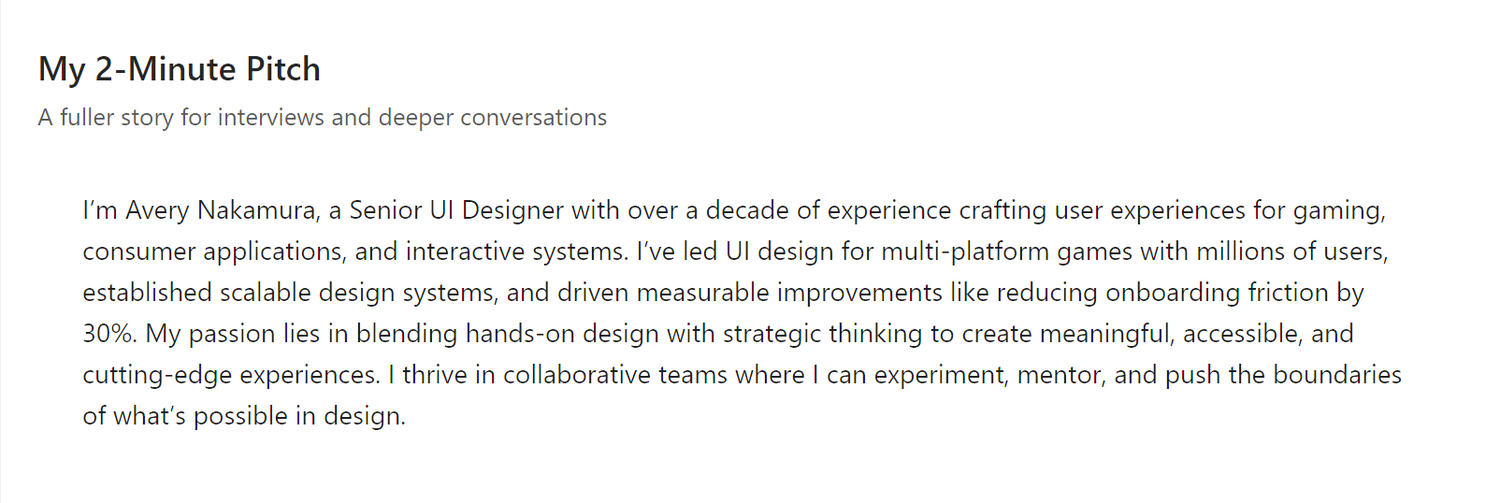
The 2-Minute Pitch expands on your 20-second version, telling a fuller story of who you are, what you've done, and what you're passionate about.
Example:
"I'm Avery Nakamura, a Senior UI Designer with over a decade of experience crafting user experiences for gaming, consumer applications, and interactive systems. I've led design teams at major studios, established scalable design systems from scratch, and contributed to award-winning titles played by millions of users worldwide. My expertise spans the full design lifecycle, from concept and prototyping to final implementation, and I'm passionate about creating intuitive, visually stunning interfaces that enhance player engagement and drive product success."
When to Use It
- Networking conversations - When someone expresses genuine interest
- Informational interviews - Opening your story to a potential mentor or contact
- Cover letters - First paragraph introducing yourself
- Video introductions - Recording a "about me" for applications
- Interview warm-ups - Practice your narrative before formal interviews
Benefit: A well-rehearsed 2-minute pitch helps you tell a coherent career story that builds credibility and sparks interest. It's long enough to be substantive but short enough to hold attention.
Structure Breakdown
- Introduction - Name and title
- Experience summary - Years of experience and domain
- Core expertise - Technical skills and areas of focus
- Track record - Quantified achievements (award-winning titles, millions of users)
- Full scope - Design lifecycle from concept to implementation
- Values and passion - What drives you professionally
Tip: Practice this pitch out loud until it flows naturally. You're not reading a script; you're telling your story.
Professional Summary
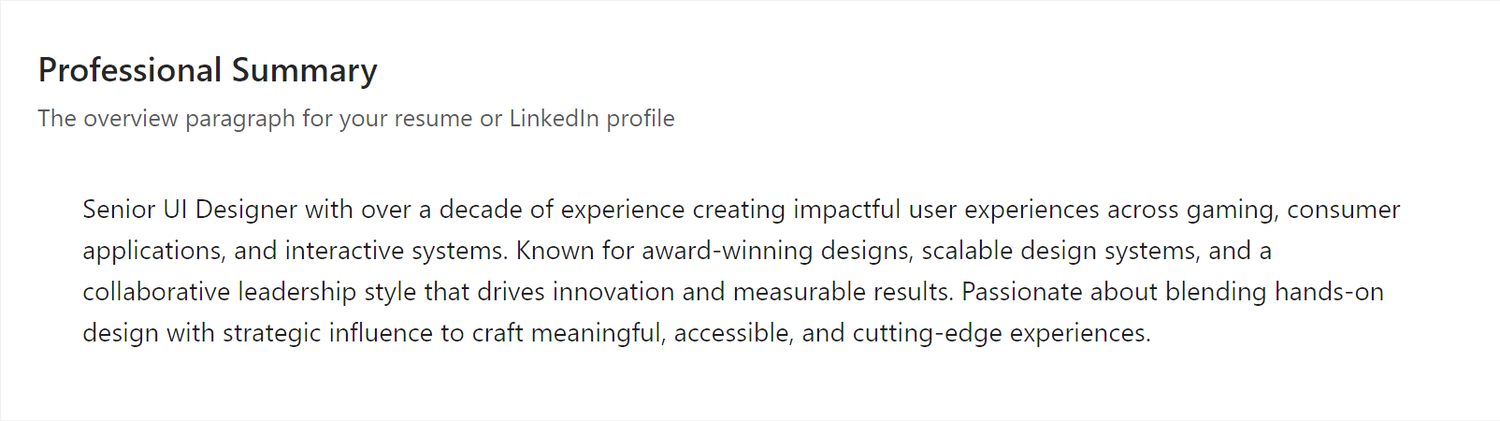
The Professional Summary is a third-person bio that reads like a formal introduction. It's designed for contexts where you need to present yourself professionally but don't want to use first-person language.
Example:
"Accomplished Senior UI Designer with over 10 years of experience creating engaging user experiences for gaming, consumer applications, and interactive systems. Proven track record of leading design teams, establishing scalable design systems, and contributing to award-winning titles enjoyed by millions of players worldwide. Expert in the full design lifecycle from concept and prototyping through final implementation, with a passion for crafting intuitive, visually stunning interfaces that drive player engagement and product success."
When to Use It
- LinkedIn "About" section - Professional summary at the top of your profile
- Resume summary - Opening paragraph of your resume
- Speaker bios - Conference and event programs
- Award nominations - Describing yourself for recognition
- Company websites - Team member profiles
- Press releases - When you're quoted or featured
Benefit: Third-person bios sound more authoritative and polished than first-person descriptions. They're ideal for formal contexts where humility and professionalism matter.
Third-Person vs First-Person
Why third-person? - Sounds more objective and credible - Creates professional distance - Follows conventions for bios and profiles
When to switch to first-person: Use your 2-minute pitch instead if you're writing: - Cover letters - Personal blog posts - Casual networking outreach
Professional Headlines
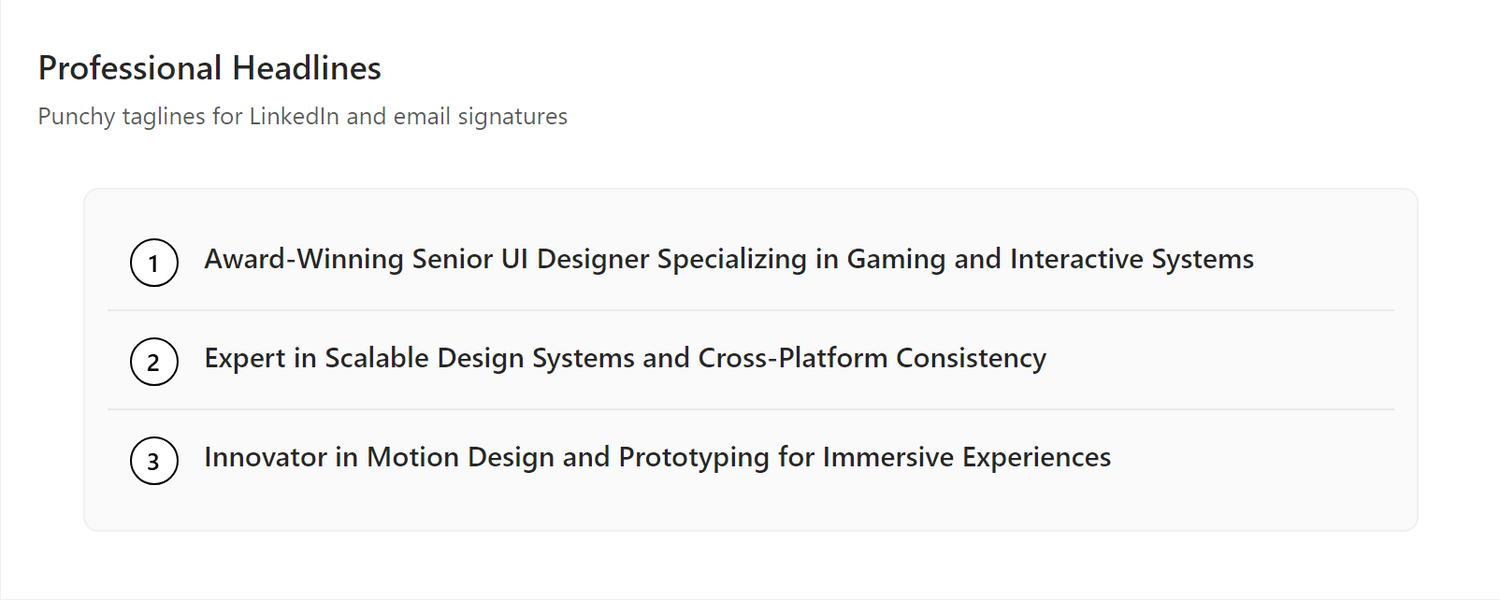
Professional Headlines are short, punchy one-liners that capture different facets of your professional identity. We generate several options so you can choose the one that feels most authentically you: the headline that best represents how you want to be seen.
Examples: 1. "Senior UI Designer Crafting Award-Winning Gaming Experiences" 2. "Expert in Scalable Design Systems for Interactive Entertainment" 3. "Creative Leader with 10+ Years in Gaming UI/UX Design"
Choosing Your Headline
Pick the headline that resonates most with you and matches your target audience:
| Headline | Emphasizes | Best For |
|---|---|---|
| "Senior UI Designer Crafting Award-Winning..." | Creative excellence | Game studios, entertainment companies |
| "Expert in Scalable Design Systems..." | Technical expertise | Platform teams, large-scale projects |
| "Creative Leader with 10+ Years..." | Experience & leadership | Senior/lead design roles |
Pro tip: When you create a Custom Resume for a specific job application, Callings.ai generates tailored headlines optimized for that particular role and company.
When to Use Them
- LinkedIn headline - The 120-character description under your name
- Resume header - Just below your contact information
- Email subject lines - For cold outreach (e.g., "Visionary Product Leader Interested in [Company]")
- Portfolio headers - Personal website or online resume
- Social media bios - Professional Twitter, GitHub, Medium
Benefit: Headlines act as hooks. They grab attention and make people want to learn more about you.
What Makes Me Unique
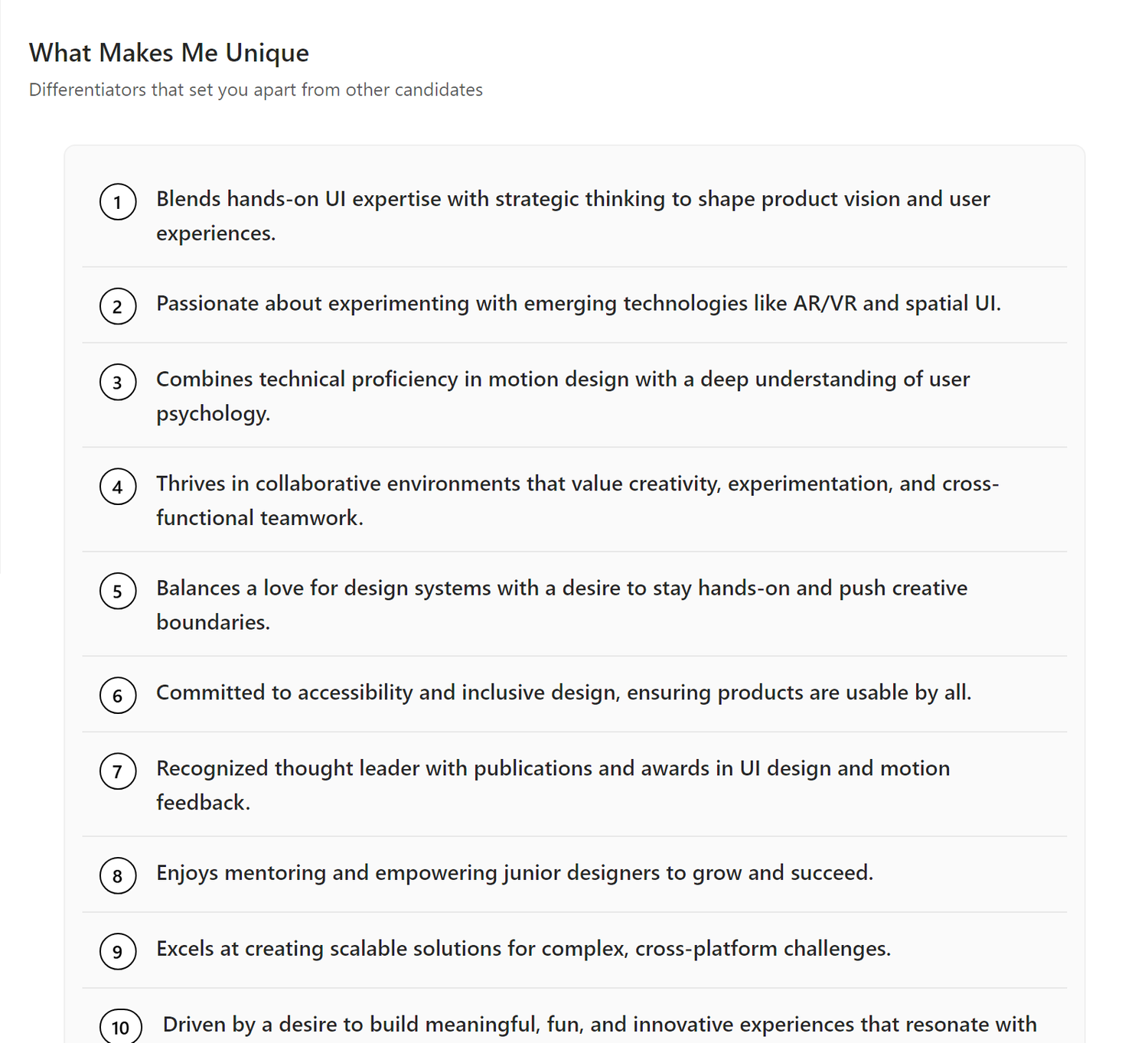
The What Makes Me Unique section distills your professional identity into 10 distinct differentiators: the qualities, experiences, and strengths that set you apart from other candidates.
Examples: 1. Expertise in building scalable design systems from the ground up for major gaming platforms 2. Track record of contributing to award-winning titles with millions of active players 3. Ability to bridge creative vision with technical constraints in game development environments 4. Deep understanding of player psychology and engagement patterns in interactive experiences 5. Experience leading and mentoring design teams across multiple successful product launches 6. Proficiency in the full design lifecycle from early concept through shipped product 7. Strong collaboration skills working with engineers, artists, and product managers 8. Passion for creating intuitive interfaces that enhance rather than interrupt gameplay 9. Adaptability across genres from mobile casual games to AAA console titles 10. Commitment to staying current with emerging design tools and industry best practices
Why These Matter
These unique qualities help you: - Stand out in applications - Differentiate yourself from candidates with similar titles/experience - Answer "Why you?" questions - Have ready examples of what makes you special - Guide your storytelling - Emphasize these points in interviews and networking - Build confidence - Internalize your value proposition Remember: You are your first audience. Job searching is hard. Rejection can feel personal. When you're struggling, come back to this list. These are the qualities that make you valuable. Read them. Believe them. You have something unique to offer. Benefit: When a hiring manager asks "What makes you different from the other 100 applicants?", you have 10 specific, compelling answers.
Top 10 Skills
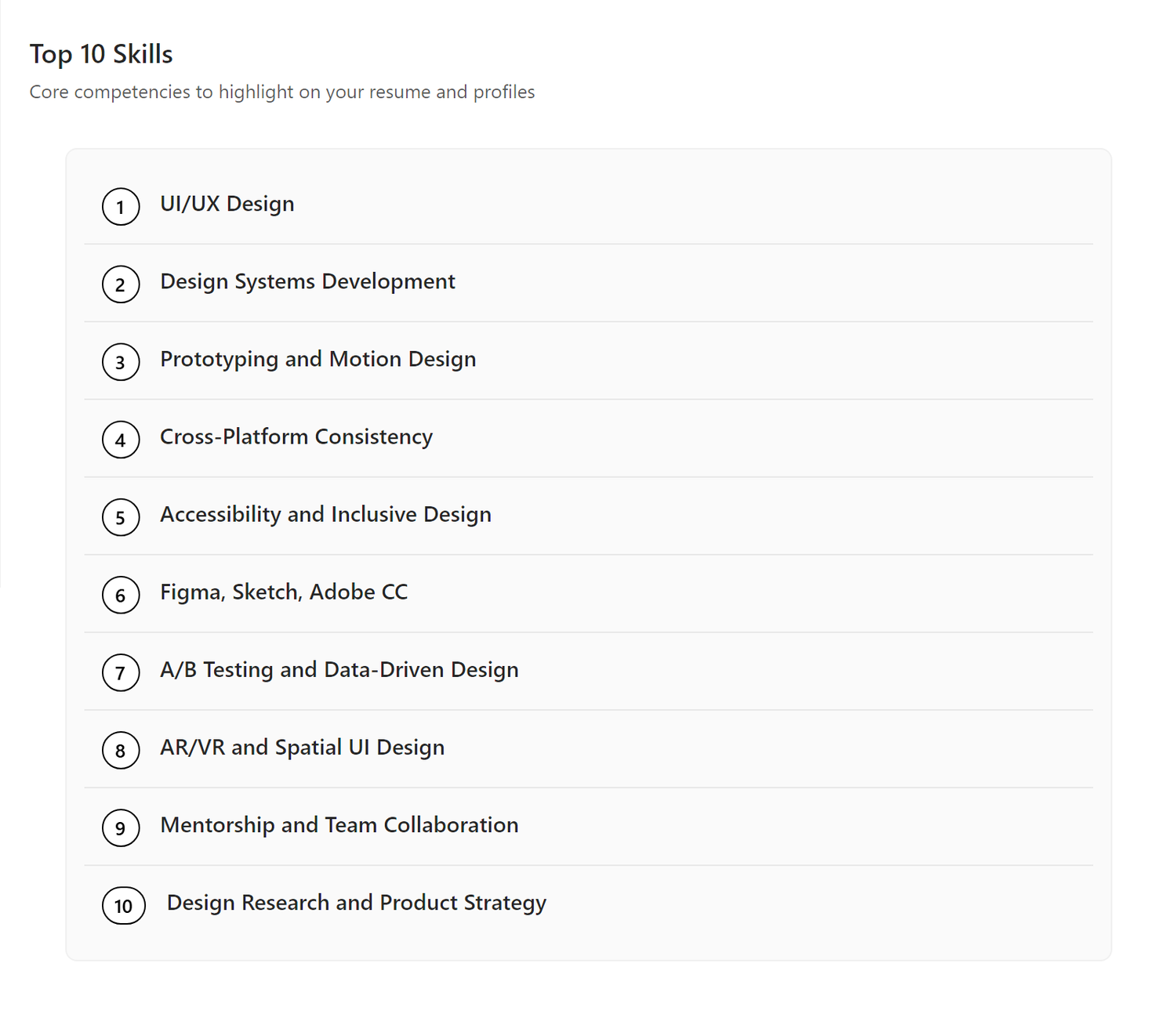
Your Top 10 Skills are the most marketable, in-demand competencies extracted from your resume and career history.
Examples: 1. UI/UX Design for Gaming 2. Design Systems Architecture 3. Figma, Sketch, Adobe Creative Suite 4. Prototyping and Interaction Design 5. Unity and Unreal Engine UI Integration 6. User Research and Playtesting 7. Team Leadership and Mentorship 8. Cross-functional Collaboration 9. Motion Design and Animation 10. Accessibility in Game Design
Why This List Matters
Your Top 10 Skills serve as: - LinkedIn profile keywords - Help recruiters find you in searches - Resume skills section - Quick scan of your capabilities - Interview talking points - Areas where you can speak with authority - Gap analysis - Compare against job descriptions to identify learning opportunities - A reminder of your value - When job searching feels discouraging, review this list to remind yourself of your capabilities
Benefit: Skills-based hiring is on the rise. Having a clear, prioritized list helps you match to roles more effectively.
Technical vs Soft Skills
Notice the mix in the example: - Technical: Figma, Unity, Unreal Engine, Adobe Creative Suite - Domain: Gaming UI/UX, design systems, motion design - Strategic: Design systems architecture, prototyping - Leadership: Team leadership, mentorship, cross-functional collaboration
Tip: A balanced skills list shows you're both technically capable and strategically minded: ideal for senior roles.
Using Your Skills List
For LinkedIn: - Add these to your "Skills" section - Request endorsements from colleagues for your top 3-5
For resumes: - Include in a dedicated "Core Competencies" or "Skills" section - Weave them throughout your bullet points (e.g., "Led SaaS product development...")
For job applications: - Cross-reference with job descriptions - Lead with skills that match the role's requirements
Top 10 Achievements
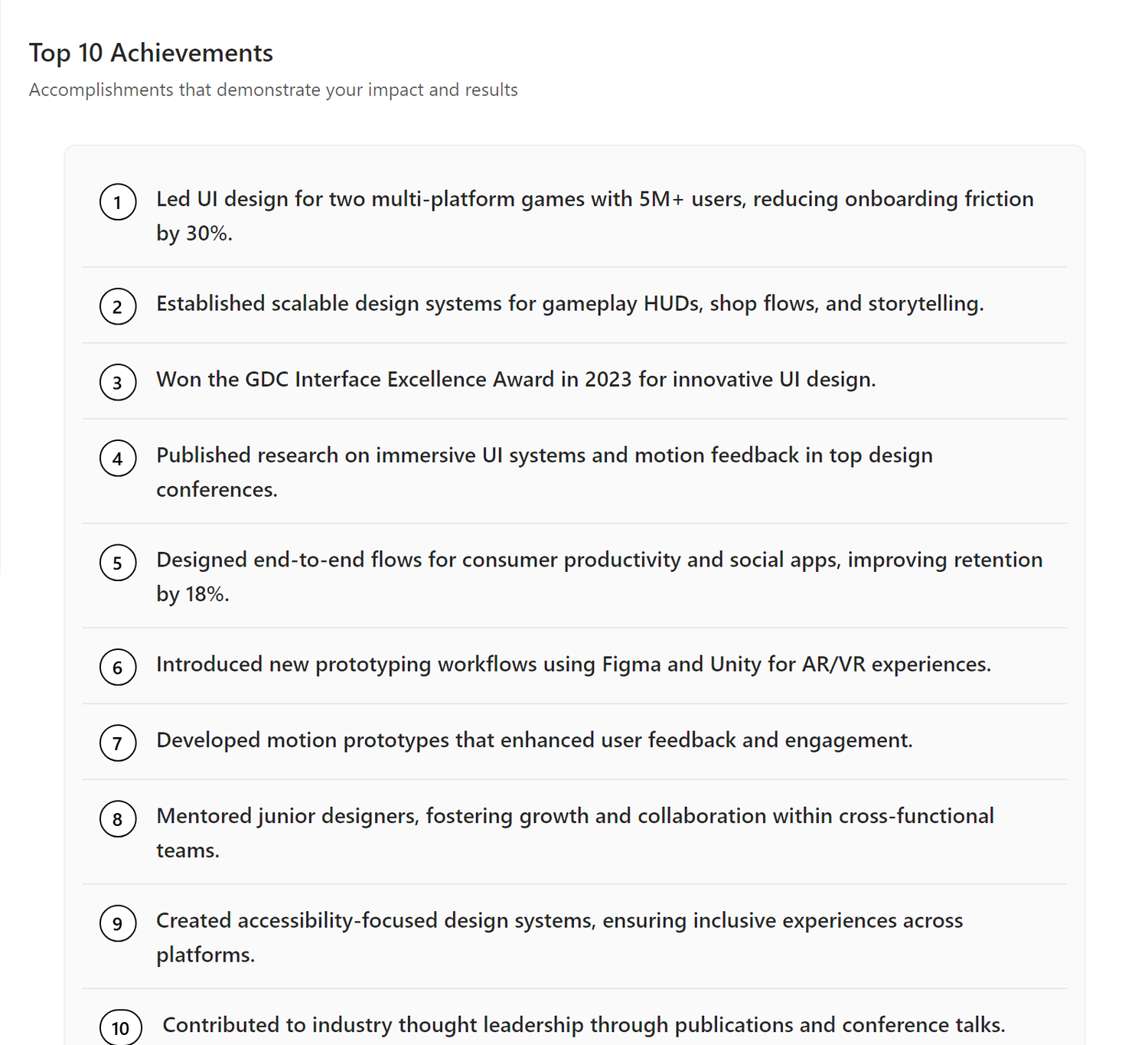
Your Top 10 Achievements are the career highlights that demonstrate impact, leadership, and value you've delivered.
Examples: 1. Led UI design for an award-winning AAA title that sold over 5 million copies in its first month 2. Established a scalable design system adopted across three major game franchises 3. Redesigned the main menu and HUD for a live-service game, improving player retention by 23% 4. Mentored a team of 6 junior designers, with 4 advancing to senior roles within 2 years 5. Created the visual identity and UI framework for a new IP that became a top-10 mobile game 6. Reduced design-to-development handoff time by 40% through improved documentation processes 7. Contributed UI/UX design to a Game of the Year nominee at The Game Awards 8. Led accessibility initiative resulting in the studio's first fully accessible game UI 9. Designed onboarding flow that increased new player 7-day retention by 18% 10. Shipped UI systems for 8 titles across mobile, console, and PC platforms
Why Achievements Matter
Achievements are the proof points that back up your claims: - Quantify impact - Numbers and outcomes, not just responsibilities - Tell your career story - Show progression and increasing scope - Build credibility - Demonstrate you've done this before - Restore confidence - When rejection piles up, read your achievements. You've accomplished real things. You've made a difference. You will again.
Benefit: When an interviewer asks "Tell me about a time you...", you have 10 concrete examples ready to go.
Elements of a Strong Achievement
Each achievement includes: 1. Action - What you did (Led, Pioneered, Developed, Directed) 2. Scope - The project or initiative 3. Impact - The measurable result (1M users, 300M units sold, 5 acquisitions)
Example breakdown:
"Led UI design for an award-winning AAA title that sold over 5 million copies in its first month" - Action: Led - Scope: UI design for AAA title - Impact: Award-winning, 5 million copies sold in first month
Tip: Always lead with a strong action verb and end with a quantified outcome.
Using Achievements
In interviews: Use the STAR method (Situation, Task, Action, Result) to expand each achievement into a full story.
In cover letters: Open with your most relevant achievement to immediately demonstrate value.
On LinkedIn: Include 2-3 top achievements in your "About" section or feature them in posts.
In performance reviews: Reference these when advocating for promotions or raises: you've delivered this level of impact before.
My Persona Overview
The My Persona Overview is a high-level summary of your professional identity. It synthesizes the themes, strengths, and motivations that show up across your career into a single short narrative, framing the personas that follow.
Think of it as the introduction that answers: Who are you, professionally, at your core?
When to Use It
- Self-orientation - Use it as a personal reminder of how your work hangs together when you feel scattered or stuck
- Coaching conversations - Share it with mentors, coaches, or career counselors so they can quickly grasp how you see yourself
- Positioning for new directions - Reference it when deciding whether a role, project, or pivot fits who you actually are
Benefit: Your personas make more sense when readers (and you) start from a shared understanding of your overall identity.
My Personas
My Personas breaks your professional identity into a handful of distinct, named identities. Each persona captures a different way you show up in your work, highlighting a specific blend of capabilities, mindset, and value.
Instead of forcing yourself into a single job title, personas let you describe the range of roles you can credibly play, each one grounded in your real experience.
Example personas:
Gameflow Architect - A UI Designer who crafts seamless, scalable player experiences at the intersection of design, technology, and storytelling in the gaming industry.
Insightful Interface Synthesist - A User Interface Designer who distills research, user data, and motion design into intuitive, award-winning consumer app experiences.
Immersive Systems Enchanter - A UI/UX Designer who transforms complex interactive systems into engaging, accessible, and visually compelling user journeys.
Anatomy of a Persona
Each persona includes:
- Title - A short, memorable name for this professional identity (e.g. "Gameflow Architect")
- Signature description - A one or two sentence summary of what this persona does and where they create value
- Signature elements - A bullet list of the specific capabilities, behaviors, or focus areas that define this persona (for example: "Scalable game UI systems", "Cross-functional team leadership", "Design for accessibility")
When to Use Personas
- Targeting different roles - Lead with the persona that best matches the job you are applying for
- Crafting tailored pitches - Use a persona as the spine of a custom resume, cover letter, or LinkedIn headline
- Networking and introductions - Pick the persona most relevant to the person you are meeting, and frame your story around it
- Exploring career directions - Compare your personas to spot which one excites you most and lean into it
Benefit: Personas let you present a focused, coherent version of yourself for each opportunity without rewriting your story from scratch every time.
Tips for Strong Personas
- Keep each title evocative but professional, something a recruiter could repeat back to a hiring manager
- Make sure each persona is clearly distinct from the others; if two feel similar, merge or sharpen them
- Ground every signature element in real experience you can talk about in an interview
- Revisit your personas after a major project or role change so they keep reflecting who you actually are
Editing Your Brand Elements
Every section of your Brand Elements is fully editable. The AI gives you a strong first draft, but you can refine every word until it feels authentically you.
To edit a section: 1. Click the Edit button in the toolbar to edit the currently visible section, OR 2. Click Edit in the toolbar, then pick the section you want from the list on the left of the modal
There are two types of editors depending on the content:
The Text Editor
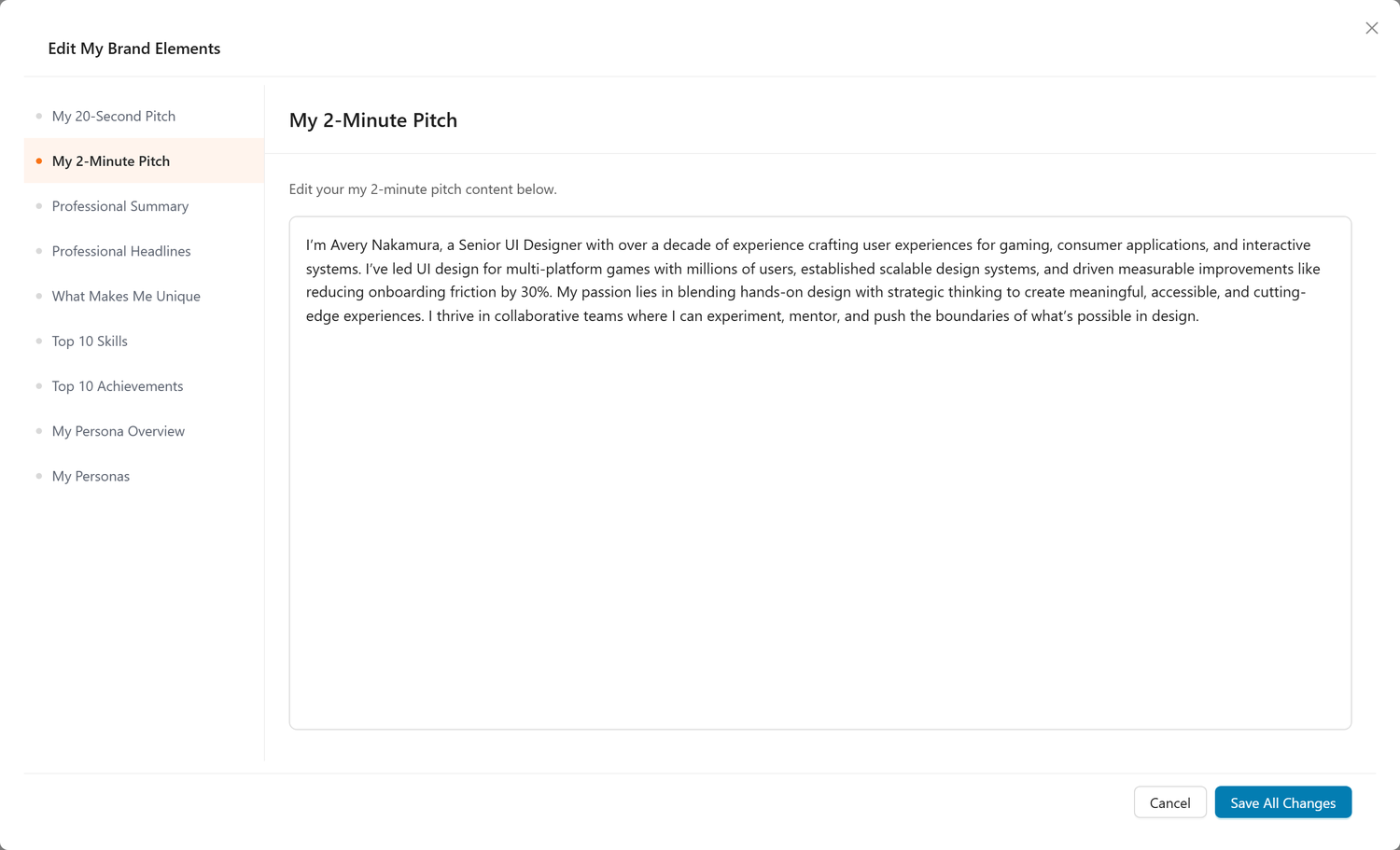
The Text Editor is used for narrative content:
- My 20-Second Pitch
- My 2-Minute Pitch
- My Professional Summary
With the Text Editor, you can: - Refine your narrative - Adjust wording to better match your voice and style - Update accomplishments - Add recent achievements or milestones - Shift emphasis - Highlight different aspects of your experience based on your target audience - Adjust length - Trim or expand sections to fit your natural speaking pace
Tip: Read your pitch aloud after editing. It should feel natural to speak, not like you're reading a formal document.
The List Editor
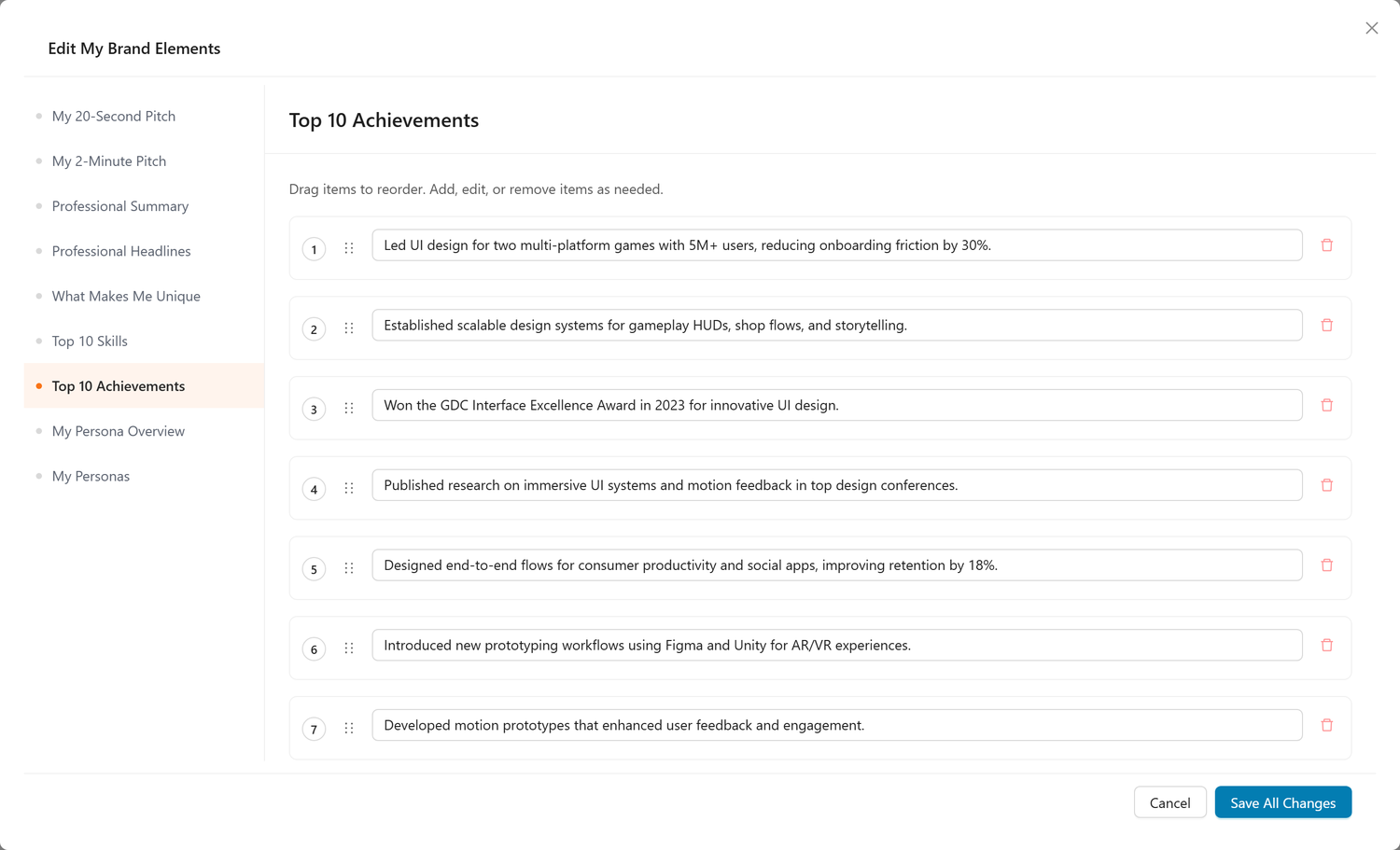
The List Editor is used for itemized content: - Professional Headlines - What Makes Me Unique - My Top 10 Skills - My Top 10 Achievements - My Personas (edit the title, signature description, and signature elements for each persona)
With the List Editor, you can: - Add new items - Click the add button to include new entries - Delete items - Remove entries that no longer feel relevant - Reorder with drag handles - Drag items up or down to prioritize your strongest content at the top - Edit inline - Click any item to refine the language
Note: The My Persona Overview section uses the Text Editor so you can refine the narrative that frames your personas.
Tip: Keep your top 3 items in any list highly polished: these are the ones you'll reference most often.
When to Edit
- Before important events - Networking events, interviews, or application deadlines
- After milestones - New role, major project completion, or award
- When pivoting - Shifting industries, roles, or career focus
- Regular maintenance - Review every 3-6 months to keep content fresh
Using Your Brand Elements
Copy & Paste
Each element is designed to be copied directly into your materials: - Click the text - Copy to clipboard - Paste into LinkedIn, resume, email, etc.
Customize for Context
While these are ready to use, feel free to tweak them: - Add specifics - Mention a particular company or technology - Adjust tone - Make it more casual or more formal - Emphasize different points - Highlight the aspects most relevant to your audience
Consistency Across Channels
Use these elements to maintain a consistent brand across: - LinkedIn - Resume and cover letters - Personal website - Networking conversations - Interview responses
Benefit: Consistency builds recognition. When recruiters see your LinkedIn, resume, and hear you speak, they should get the same core message.
Download PDF
Click the PDF button in the toolbar to download all your brand elements. Use the PDF to: - Keep them handy offline - Share with career coaches or mentors for feedback - Reference during interview prep - Send to recruiters so they can represent you accurately
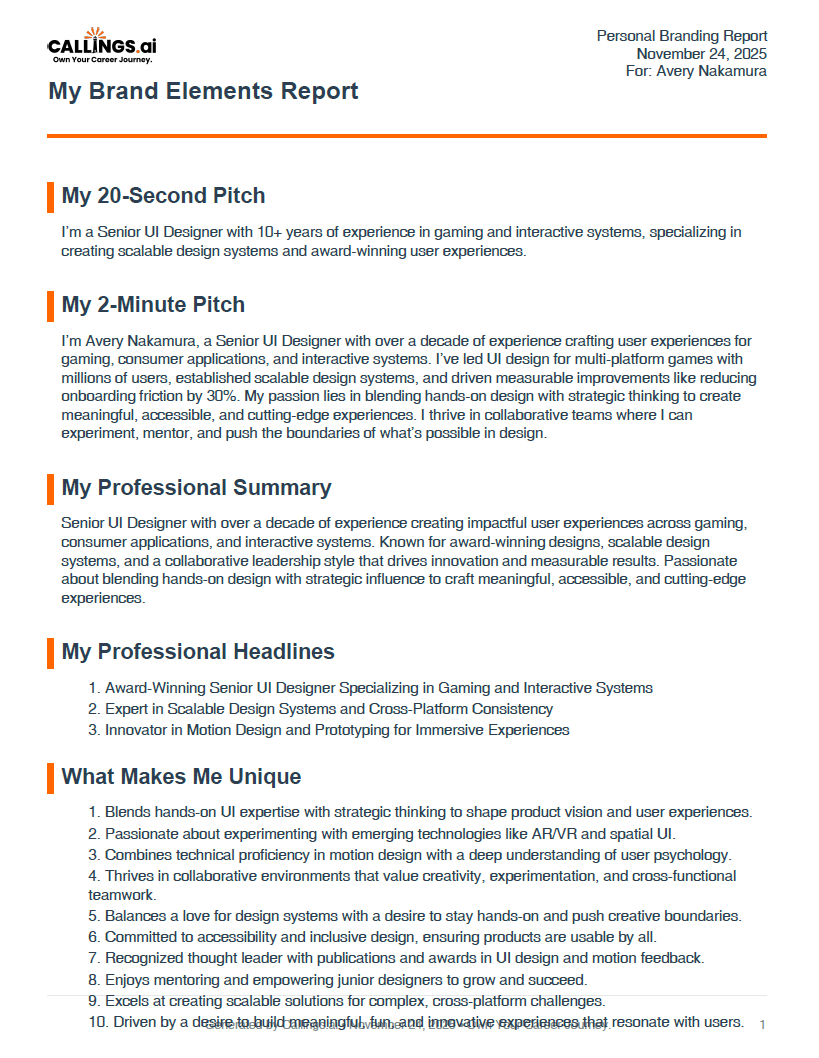
Benefit: Having your brand elements documented ensures you never fumble an introduction or bio request.
Regenerating Brand Elements
If your career evolves or you want to emphasize different aspects of your background, click Regenerate in the toolbar to create fresh brand elements.
When to regenerate: - After a major career milestone (new role, promotion, award) - When pivoting industries or roles - After updating your resume or questionnaire answers - If your goals have shifted (e.g., moving from IC to leadership)
Tip: Compare the old and new versions to see how your brand has evolved. You might find valuable language in both.
Frequently Asked Questions
Q: Can I use these brand elements word-for-word?
A: Absolutely! They're designed to be ready-to-use. That said, feel free to customize them to match your personal voice or specific context.
Q: Should I memorize my pitches?
A: Memorize the structure and key points, but don't recite them robotically. Practice until you can deliver them naturally in conversation.
Q: What if I don't like what the AI generated?
A: Edit them! Click the edit icon on any section to customize the content. You can also regenerate everything if you want a fresh start.
Q: How do I choose which headline to use?
A: Match the headline to your audience. Startups might respond to "Visionary," while enterprises might prefer "20+ Years of Experience." You can rotate headlines for different applications.
Q: Should I include all 10 achievements on my resume?
A: Not necessarily. Pick the 3-5 most relevant achievements for each specific job application. Your custom resume tool will help with this.
Q: Can I share these brand elements with others?
A: Yes! Download the PDF and share it with anyone helping with your job search: mentors, coaches, headhunters, or close contacts. It ensures everyone representing you has consistent language.
Q: How often should I update my brand elements?
A: Review and regenerate after major career milestones, skill acquisitions, or when your goals shift significantly. Generally every 6-12 months.
Your personal brand is your professional identity, so own it. With polished elevator pitches, compelling headlines, and a clear articulation of what makes you unique, you'll never struggle with "tell me about yourself" again. You'll speak with confidence, consistency, and clarity that makes people want to help you succeed.