Resume Assessment
Resume Assessment is a Callings.ai feature that provides instant, recruiter-style feedback on each of your resumes including the 6-second first impression test, scorecard analysis with grades, peer benchmarking against similar professionals, ATS compatibility check, and specific improvement recommendations, helping you see your resume the way hiring managers do.
Once a resume is uploaded, Callings.ai provides an instant, brutal, and incredibly helpful assessment. This feedback is designed to mimic how a recruiter or hiring manager views your resume in the first few seconds.
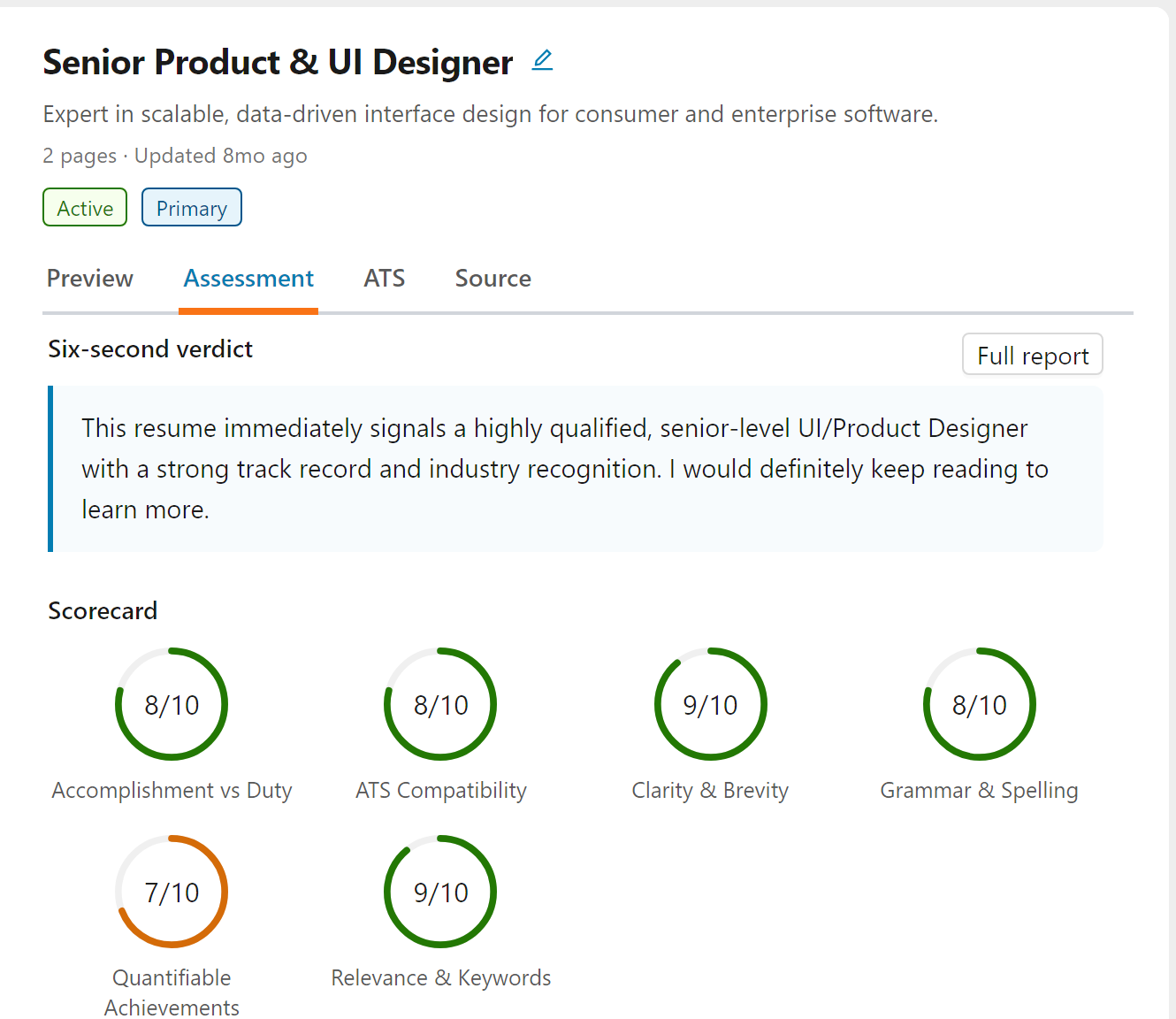
Opening an Assessment
Each resume in your library has its own assessment. Open My Resumes from the Personal Brand section of the sidebar, select a resume in the list, and open its Assessment tab.
The tab is a summary: the six-second verdict, the six scorecard grades, the immediate strengths and potential red flags, and the areas to improve. Click Full report for the complete assessment: the five sections described below, with a menu on the left to jump between them.
A resume that has not been assessed yet shows Generate assessment instead. It takes about a minute, and you can leave the page while it runs.
To re-run the assessment after you edit the resume, open the Full report and click Regenerate on its toolbar. The new report replaces the current one, so you are asked to confirm first. It takes about a minute, and the Assessment tab shows the new report once it is ready.
First Impression (6-Second Test)
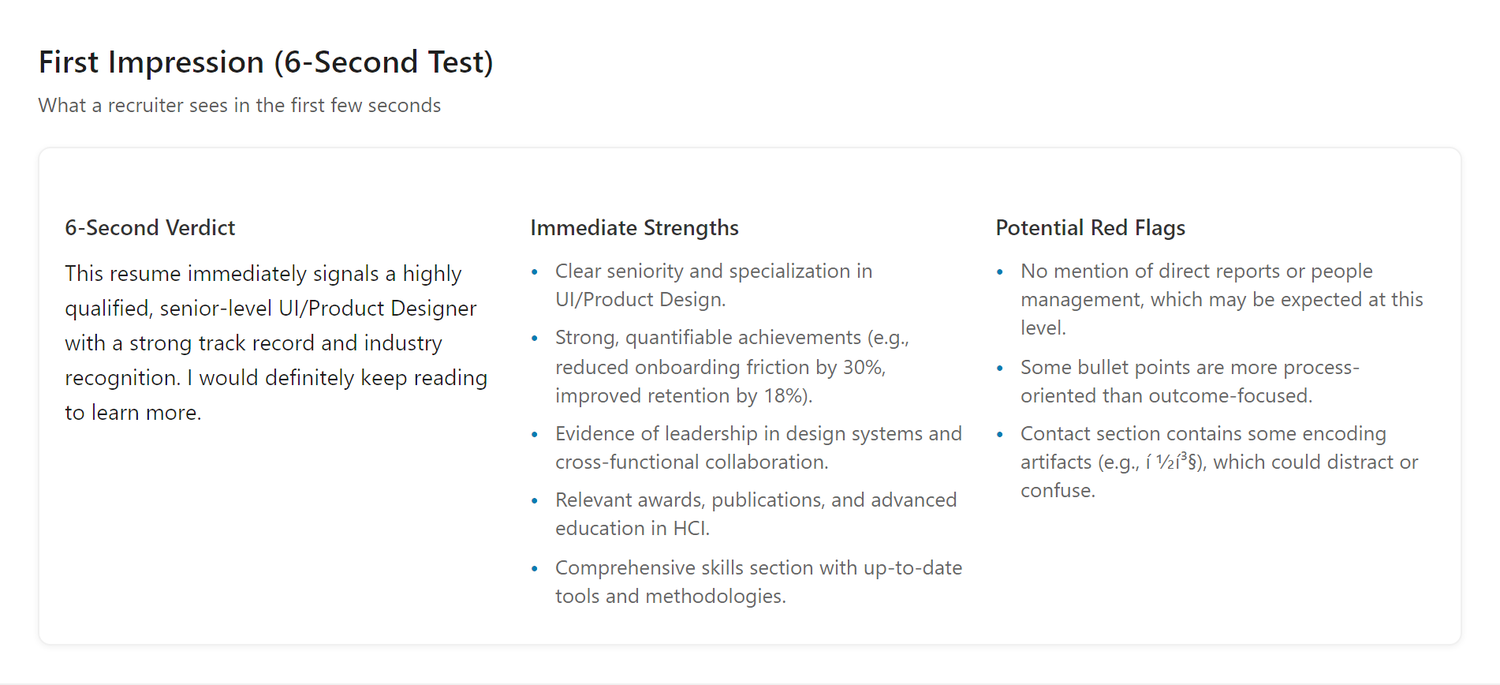
Recruiters spend an average of 6 seconds on a resume before deciding to keep it or discard it. Additionally, AI-powered screening systems are increasingly used to pre-filter candidates before a human ever sees their resume. Our assessment simulates both scenarios: whether your resume is being scanned by a recruiter in seconds or analyzed by an AI system, the recommendations are the same. Here are three critical insights:
6-Second Verdict
A quick summary of what immediately stands out about your resume - both positive and areas for improvement. This tells you if your resume passes the "blink test" and would make it past the first screening.
Benefit: Know instantly whether your resume creates a strong first impression or gets lost in the pile.
Immediate Strengths
The standout qualities that catch attention right away. These are your resume's biggest selling points - the experiences, skills, or achievements that make recruiters want to keep reading.
Benefit: Understand what's working well so you can emphasize these strengths in interviews and networking.
Potential Red Flags
Issues that might cause hesitation or raise questions. These aren't necessarily deal-breakers, but they're elements that could slow down your candidacy if not addressed.
Benefit: Identify and fix concerns before they become reasons for rejection.
What Does It Say About You
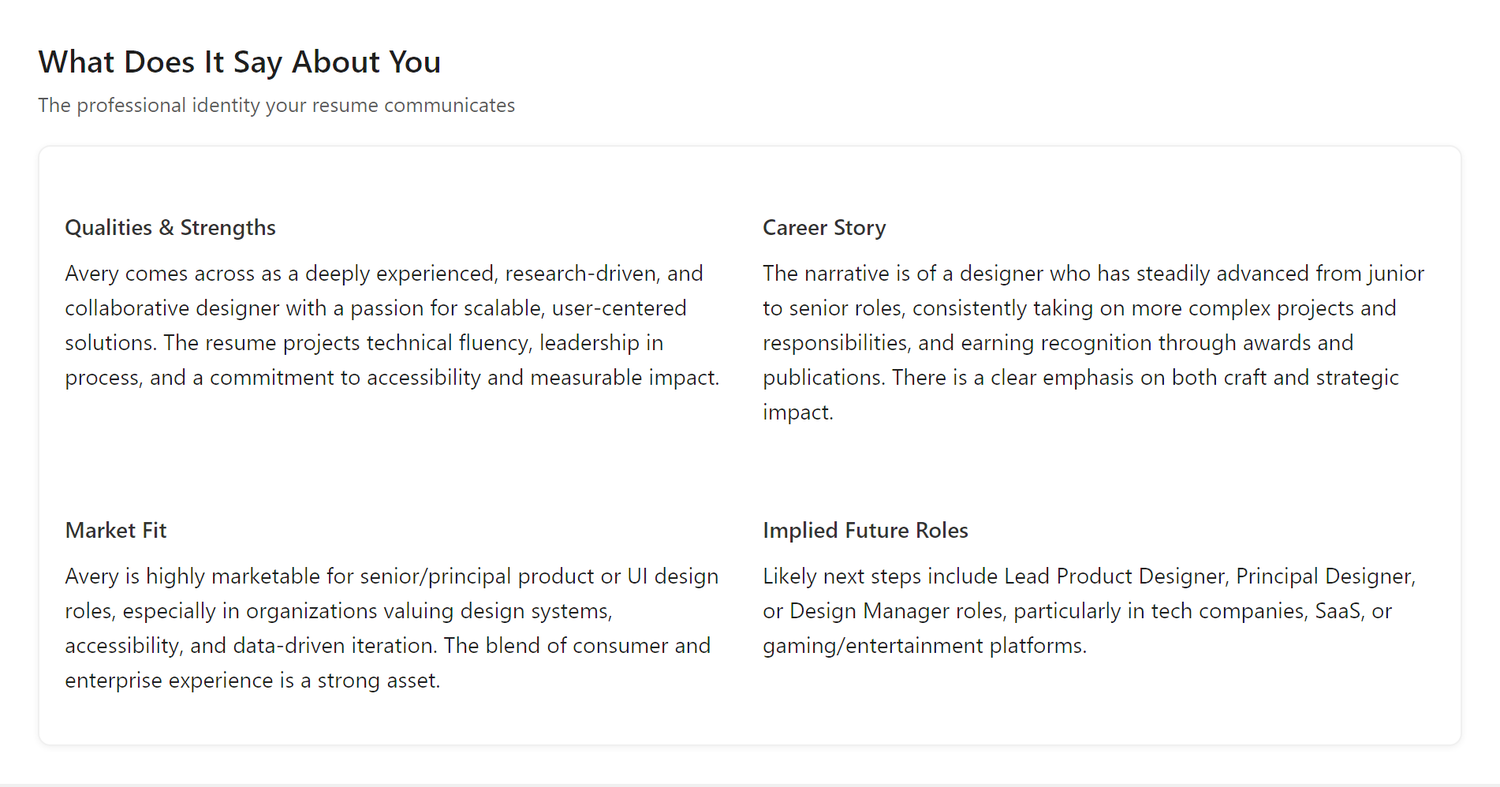
This section synthesizes your entire career history into four key narratives that employers use to evaluate candidates:
Qualities & Strengths
Your defining professional characteristics and core competencies. This shows how you're perceived as a professional based on your resume's language and content.
Benefit: Ensure your resume communicates the personal brand and professional identity you want to project.
Career Story
The narrative arc of your professional journey - what drives you, how you've evolved, and what themes connect your experiences.
Benefit: Craft a compelling and coherent story that makes sense to hiring managers and shows intentional career progression.
Market Fit
How recruiters and hiring managers perceive the alignment between your background and their company's needs. This analysis shows which types of organizations and roles would see you as a natural fit based on your industry experience, company stages, and functional expertise.
Benefit: Understand how employers view your candidacy and focus on opportunities where hiring teams will see you as a strong match.
Implied Future Roles
How hiring companies perceive your career trajectory and what positions they would consider you best suited for at this stage. This reflects how recruiters and hiring managers assess whether a role represents a logical next step for someone with your background.
Benefit: Understand how employers view your candidacy for specific positions and whether they'll see the role as a natural fit for your career stage.
Resume Scorecard
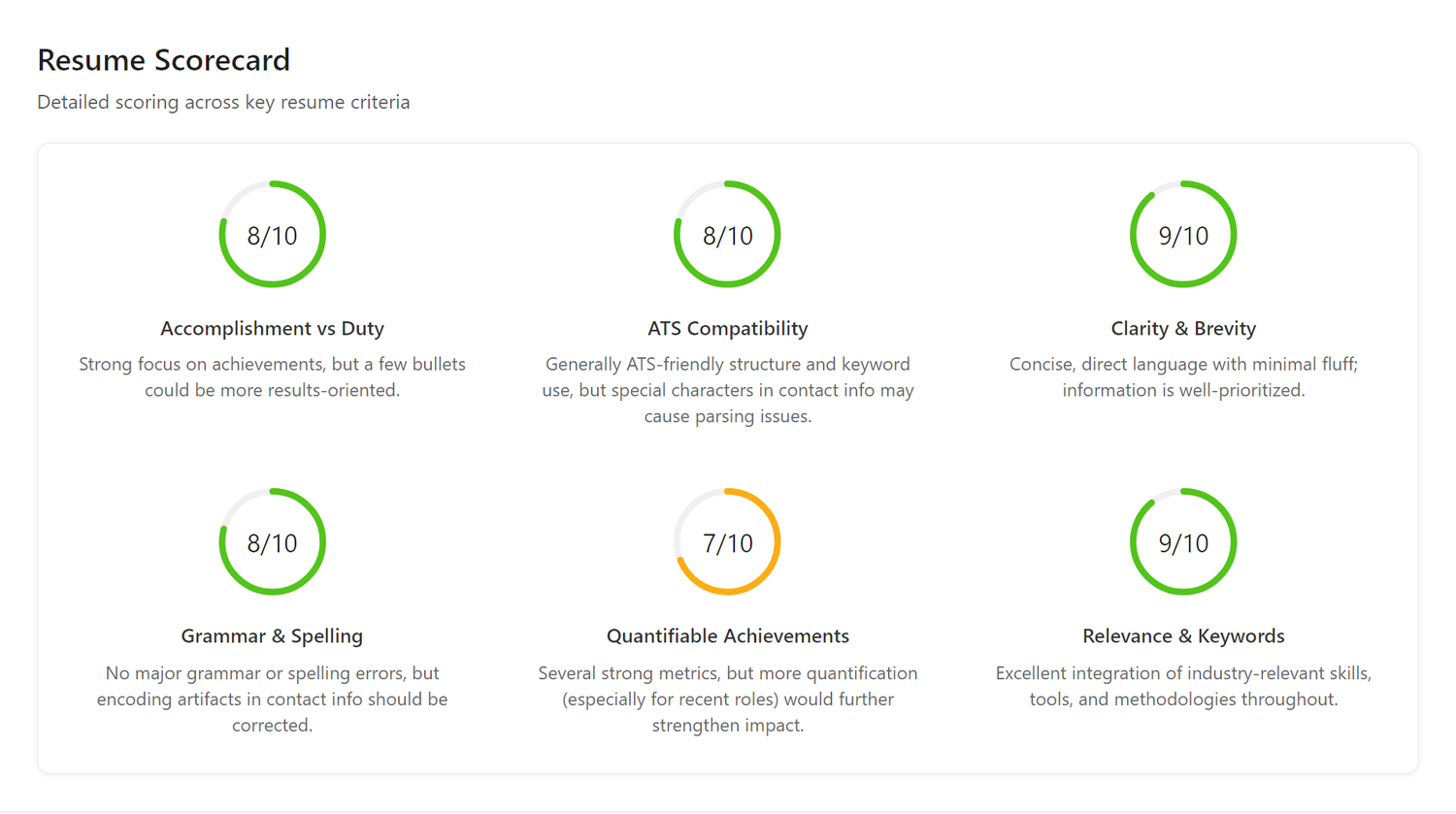
A quantitative breakdown of your resume's effectiveness across six critical dimensions, each scored on a scale of 1-10:
Accomplishment vs Duty
Measures whether your resume highlights achievements or just lists responsibilities.
Benefit: Strong accomplishment-focused resumes show impact and results, not just tasks. This score shows if you're demonstrating value.
ATS Compatibility
Evaluates how well your resume will parse through Applicant Tracking Systems that most companies use.
Benefit: A high score means your resume won't get rejected by automated systems before a human sees it.
Clarity & Brevity
Assesses if your resume is concise and scannable, or verbose and dense.
Benefit: Busy recruiters need to quickly extract key information. Clear, brief resumes get more thorough consideration.
Quantifiable Achievements
Checks for specific metrics and numbers that prove your impact.
Benefit: Concrete numbers like "Increased revenue by 40%" are far more compelling than vague statements like "improved sales." Metrics provide credibility.
Relevance & Keywords
Evaluates industry-specific terminology and role-appropriate language.
Benefit: Using the right keywords shows you speak the language of your target industry and role.
Grammar & Spelling
Scans for linguistic errors that undermine professionalism.
Benefit: Even small errors can derail candidacy. This ensures your resume is polished.
Peer Benchmarking
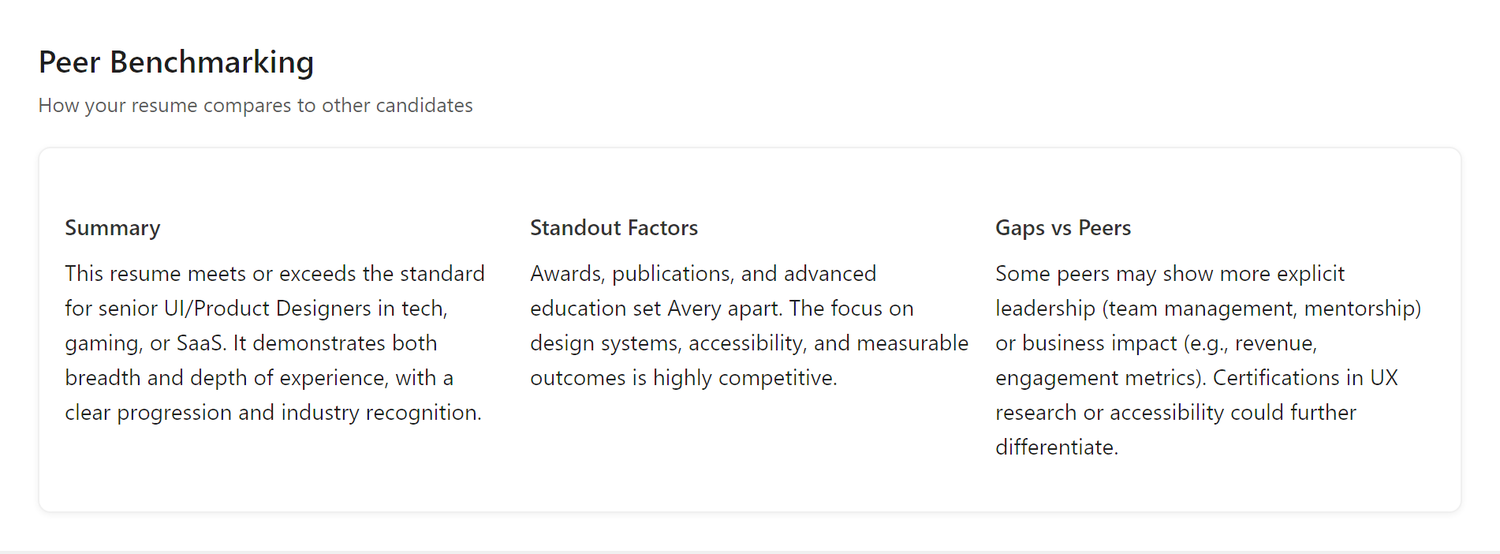
Understand how you compare to other professionals at similar career stages in your field:
Summary
An overall assessment of where you stand relative to peers in your industry and role level.
Benefit: Calibrate your expectations and understand your competitive position in the market.
Standout Factors
Unique elements that differentiate you from typical candidates in your field.
Benefit: Lead with these differentiators in applications and interviews to stand out from the competition.
Gaps vs Peers
Common credentials or experiences that peers often have but you may be missing.
Benefit: Identify areas for skill development or experience gaps to address, or learn to better articulate equivalent experiences you already have.
5 Areas of Potential Improvements
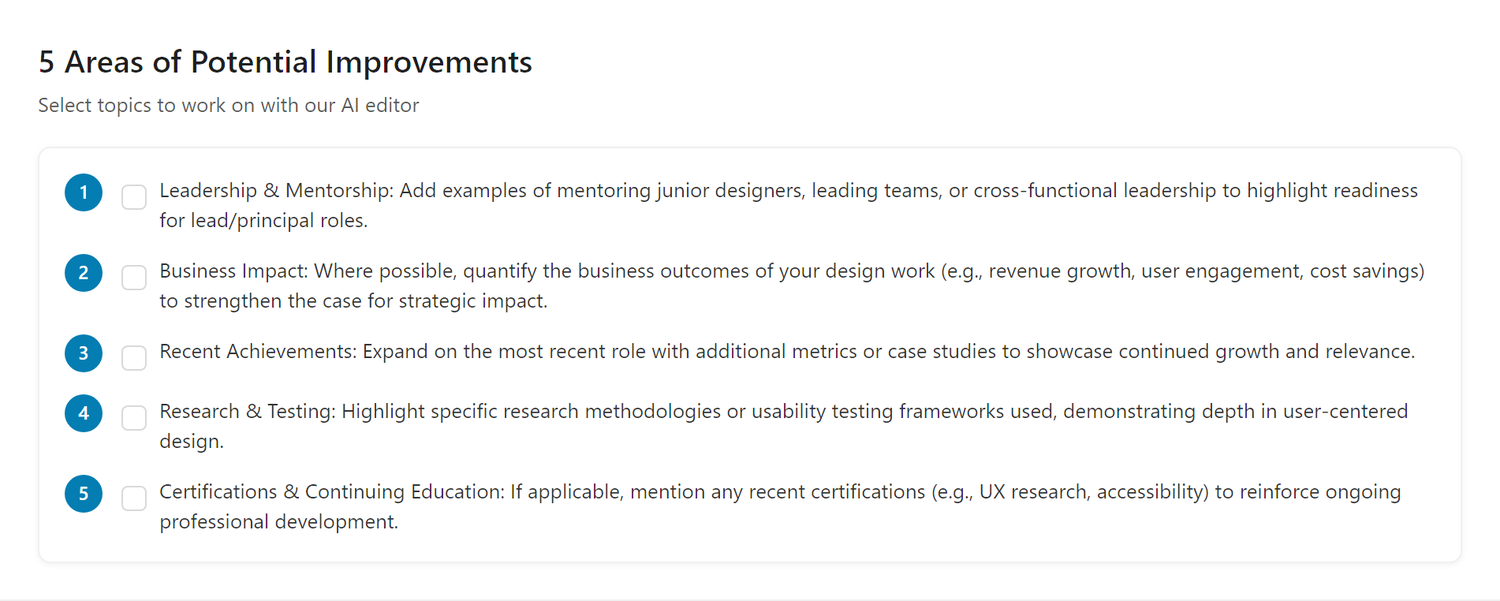
The assessment identifies up to five personalized improvement areas: the most impactful changes you can make to strengthen your resume, prioritized by importance. These recommendations are tailored to your specific resume and career stage.
Examples of common improvement areas include: - Quantifiable Outcomes - Adding specific metrics to demonstrate impact - Leadership Scope - Clarifying the scale of responsibilities - Strategic Positioning - Explicitly stating business impact - Skills Highlighting - Better showcasing relevant competencies - Achievement Focus - Shifting from duties to accomplishments
Benefit: Focus your improvement efforts on the changes that will have the biggest impact on your job search success, rather than trying to fix everything at once.
Acting on the Recommendations
Don't just read the feedback: fix it right from the report. - Tick the improvement areas you want to work on - Click Work on selected topics with AI - The AI Resume Editor opens on this resume and interviews you for the details it needs to rewrite those sections
To open the editor without picking a topic, click Edit with AI beside it, or Edit on the toolbar of the resume's Preview tab. Working on topics from the report needs a desktop; on a phone, the report says so.
Benefit: Get professional-quality resume improvements in minutes, not hours of struggling with wording.
Note: Changes update the resume you are editing, so it benefits from these improvements everywhere it is used.
Frequently Asked Questions
Q: Is the assessment based on real recruiter feedback?
A: The assessment is powered by AI that has been trained on extensive knowledge of resume best practices, hiring trends, and professional evaluation criteria. It simulates how recruiters and hiring managers typically evaluate resumes.
Q: My assessment shows low scores. Does that mean I won't get hired?
A: Not at all! The assessment provides suggestions for you to consider and reflect on. These are input recommendations, not absolute truths. Review each suggestion and decide if it applies to your situation. Many users find valuable insights that help strengthen their resume.
Q: Can I retake the assessment after making changes? A: Yes. After editing a resume, open its Full report and click Regenerate to run a fresh assessment and see your updated scores.
Q: Does each resume have its own assessment?
A: Yes! Each resume in your library has its own independent Resume Assessment. This allows you to get targeted feedback for each resume variant you've created for different job targets.
Q: What's a "good" scorecard score?
A: Generally: 8-10 is excellent, 6-7 is good but has room for improvement, below 6 needs attention. Focus on improving your lowest scores first.
Q: Should I fix everything the assessment mentions?
A: Prioritize! Use the "5 Areas of Potential Improvements" section to focus on the changes that will have the biggest impact. You don't need a perfect 10/10 on everything. Each time you improve the resume and regenerate the assessment, it identifies further opportunities to refine it.
Q: How is peer benchmarking calculated?
A: We use AI-powered heuristic evaluation to assess how your resume compares to expectations for professionals in similar roles, industries, and career stages.
Understanding your resume's strengths and weaknesses is the first step to improvement. With the 6-second test, detailed scorecard, and actionable recommendations, you'll see your resume through the eyes of recruiters and hiring managers, giving you the insight you need to make meaningful changes that get results.