AI Cover Letter Generator: A Tailored Draft for Every Job You Save
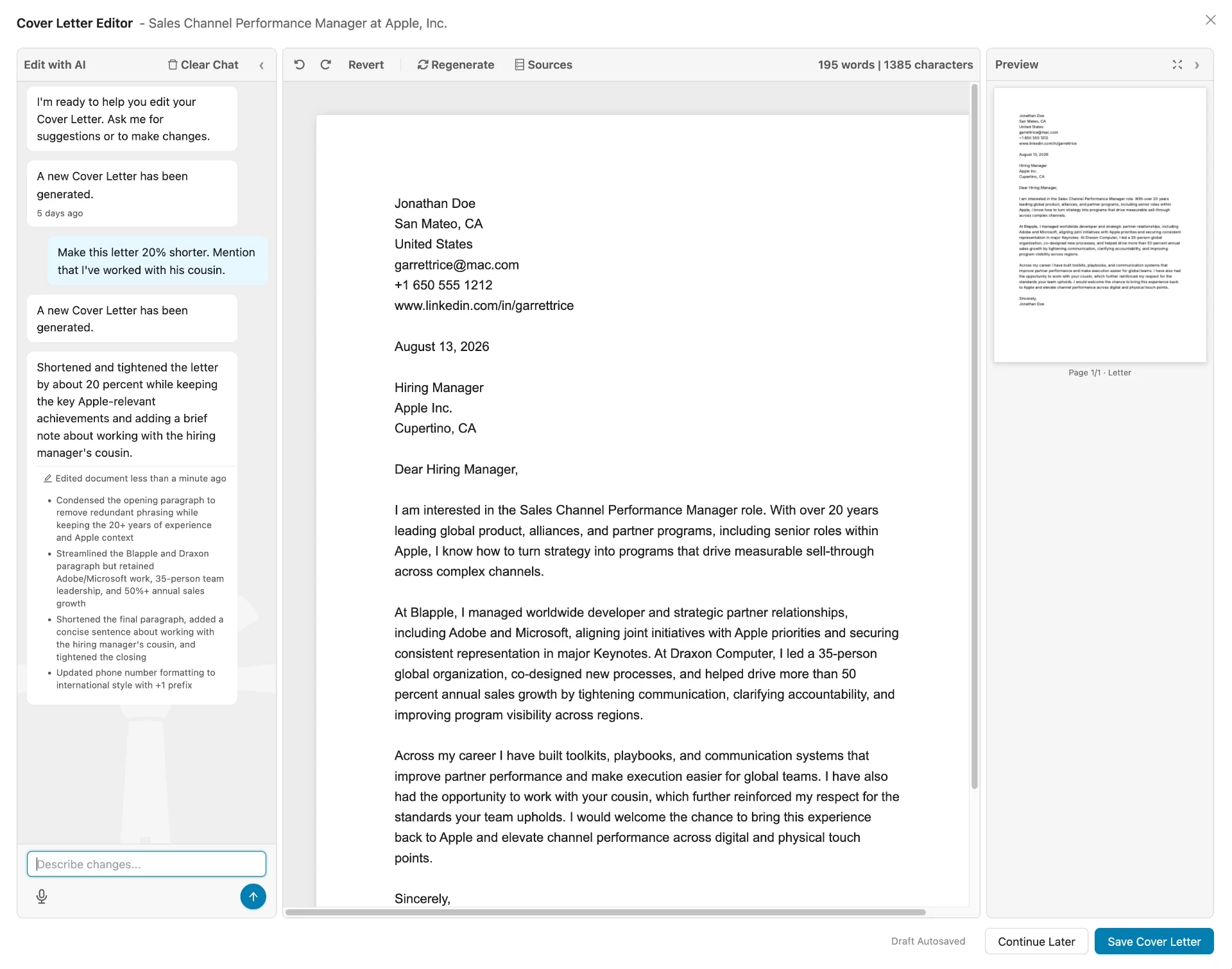
Callings doesn't treat cover letters as a standalone tool. Every time you save a job to your tracker, we automatically generate a tailored cover letter for that role.
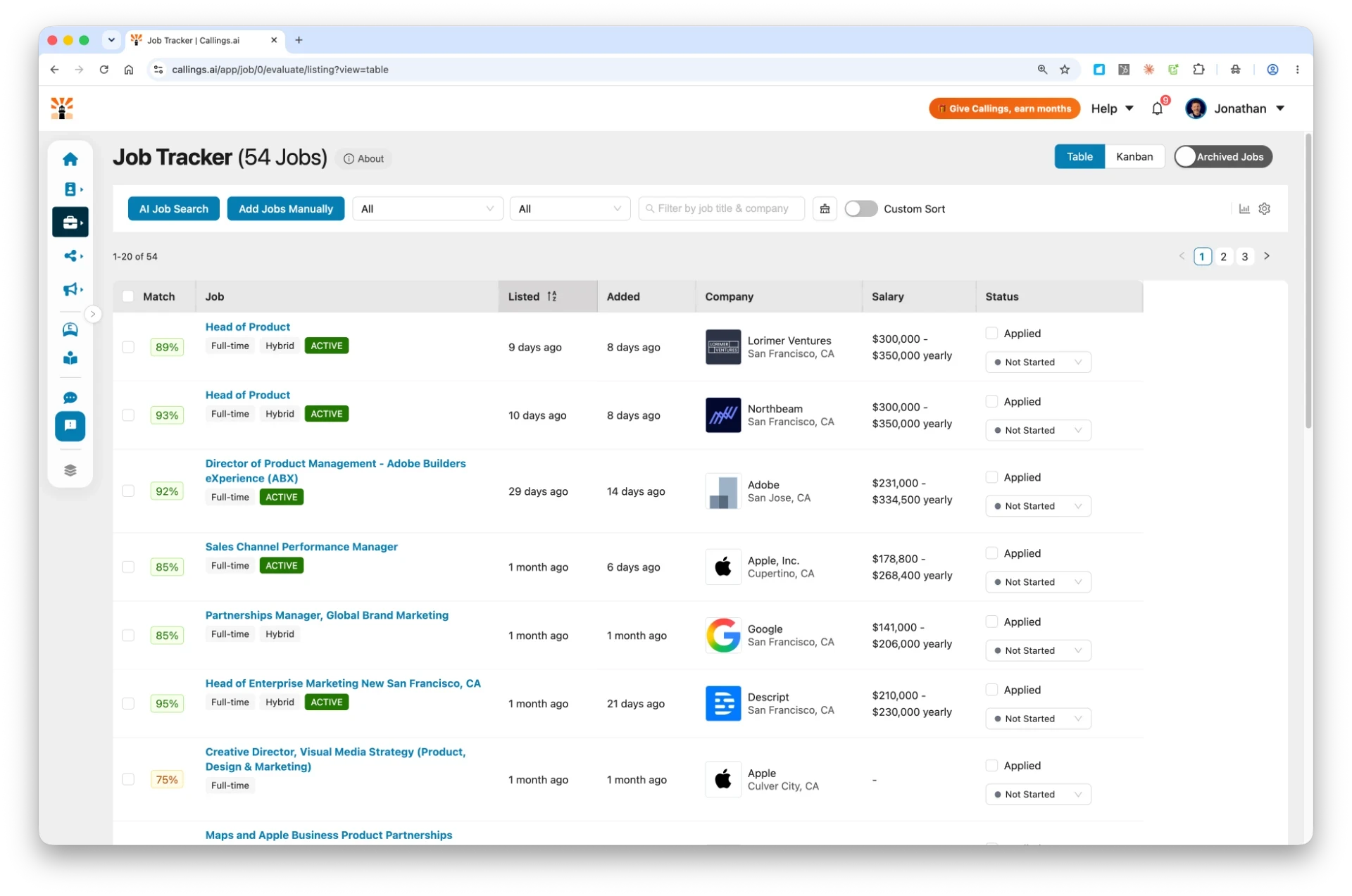
Open the job, click the Prepare tab, and you'll find a custom draft ready to review. Click Edit to open a prompt-based AI interface - type what you want changed, even "rewrite this in Italian" - or make manual edits directly in the built-in word processor. When it sounds right, export as a .docx or .pdf and submit it with your application.
Quick Verdict: Who This Is For
Choose Callings.ai if you want a cover letter that's automatically created for each job you save, tailored to the posting and your experience, and easy to refine with plain-language prompts before you export and apply.
If you only need a generic template to copy/paste and tweak manually, a basic template library may be enough - but you'll still be doing most of the work yourself.
What You Get At a Glance
| Feature | Callings.ai AI Cover Letter Generator |
|---|---|
| How it starts | Auto-generated when you save a job to your tracker |
| Where to find it | Prepare tab inside each saved job |
| Job-Specific Tailoring | Yes (aligned to the job description + your experience) |
| Editing | Prompt-based AI editor + built-in word processor for manual changes |
| Language support | Rewrite or translate via plain-language prompts |
| Export formats | .docx and .pdf |
| Formatting | Application-ready structure |
How the Callings.ai AI Cover Letter Generator Works
1. Save jobs to your tracker
Add roles you're interested in. The job title, description, and requirements become the inputs for your tailored cover letter.
2. Cover letters auto-generate
For every saved job, Callings creates a custom cover letter draft based on the posting and your profile details.
3. Open the Prepare tab
Click into any saved job and select Prepare to view the cover letter, resume, and other application materials for that role.
4. Find your per-role cover letter
Each job has its own tailored draft, ready to review, edit, and export for that specific application.
Edit in Plain Language - or by Hand - Then Export
Once your draft is generated, you don't need to rewrite it manually. Use the prompt-based AI editor to ask for changes, or switch to the built-in word processor to edit directly and make the letter sound more authentic.
1. Click Edit
Open the prompt-based AI editor and built-in word processor from any generated cover letter.
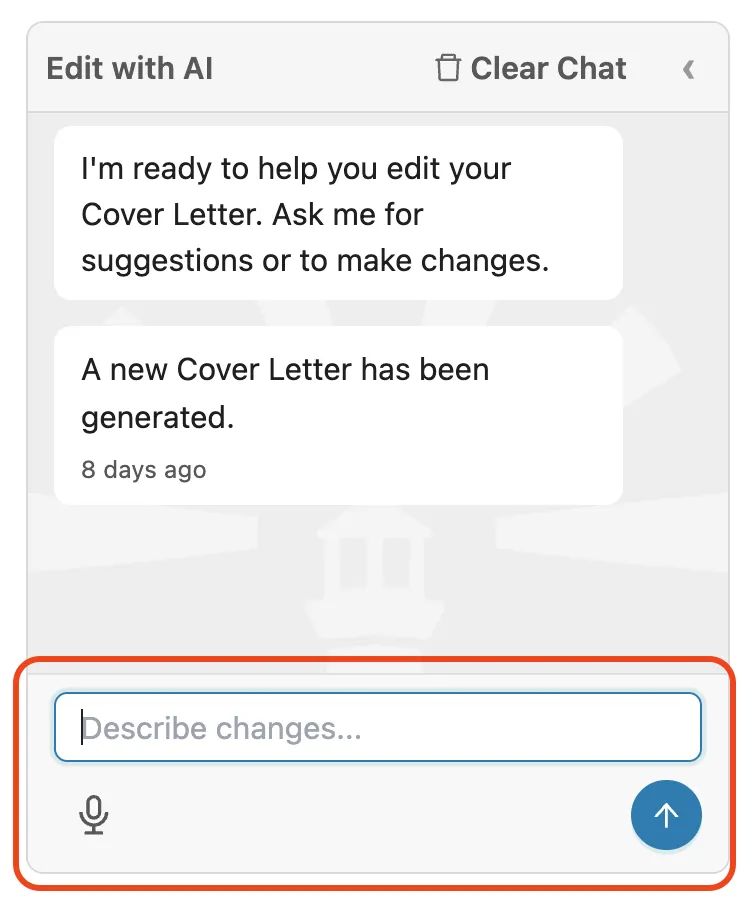
2. Type what you want
Ask for changes in plain language: 'make it shorter,' 'lead with my sales results,' or 'rewrite this in Italian.'
3. Review & refine
The AI returns a revised draft you can accept, or fine-tune manually in the word processor to make it more authentic.
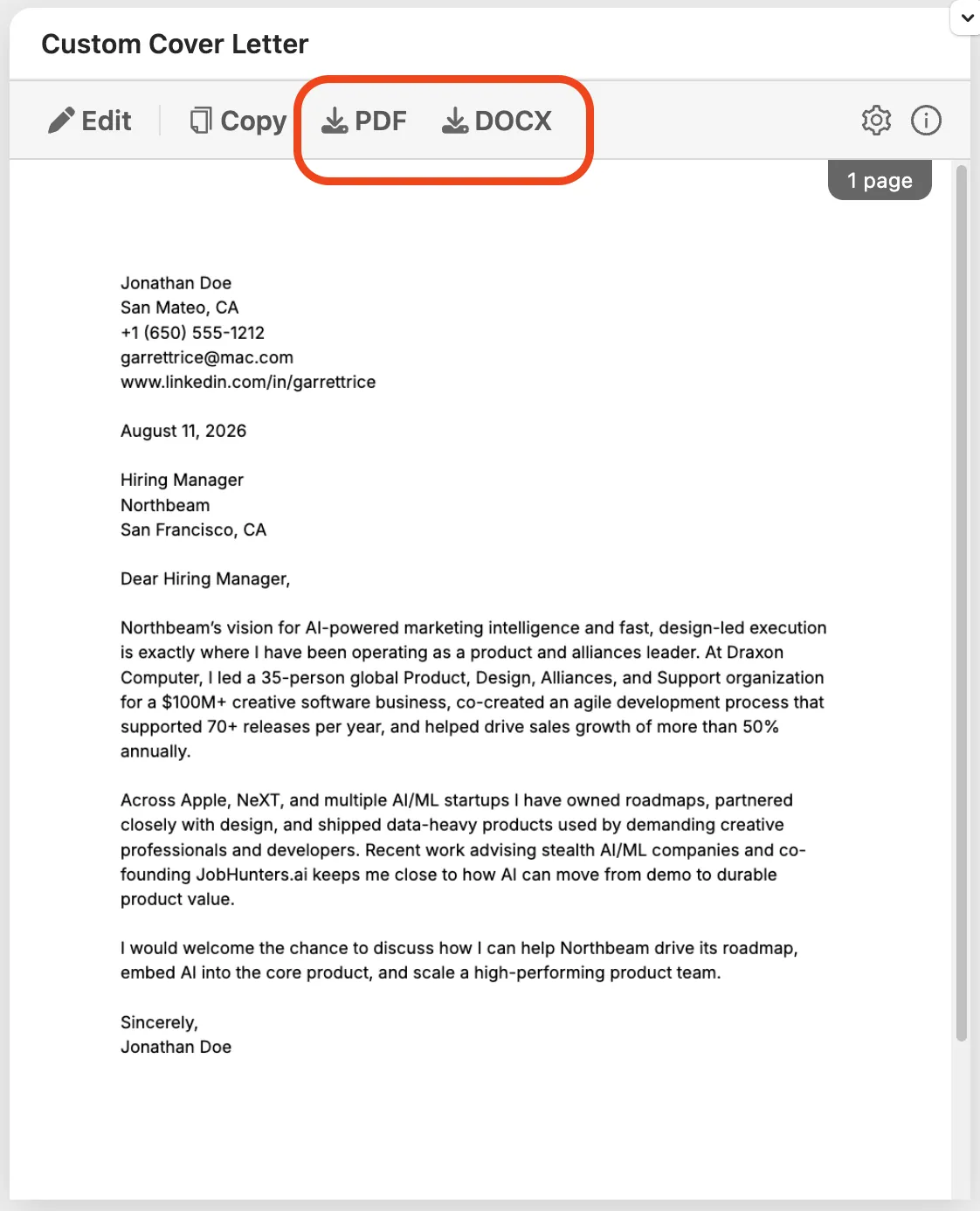
4. Export as .docx or .pdf
Download the final version and submit it with the application for that specific job.
Why This Works Better Than Starting From Scratch
Stop rewriting from scratch
Every saved job already has a tailored draft waiting in the Prepare tab, so you spend less time starting over.
Sound specific, not generic
The output references the role requirements and your relevant experience - so it reads like you wrote it for that job.
Stay consistent across applications
When you're applying to multiple roles, each job gets its own draft while your overall story stays aligned.
Adapt on the fly
Use plain-language prompts to shift tone, length, emphasis, or even language for different audiences.
Common Use Cases
New grads
Create a clear structure and highlight strengths even with limited experience.
Career switchers
Translate transferable skills into role-relevant language for each saved job.
High-volume applicants
Apply faster without sending low-effort letters.
Returning to work
Position gaps confidently and focus on current readiness.
Best Practices (So Your Cover Letter Actually Helps)
- Use the generated draft as a starting point, then personalize 1-2 lines with something specific about the company/role.
- Keep it tight - most hiring managers prefer clarity over length.
- Make sure your letter and resume tell the same story (titles, dates, key achievements).
- Save the job posting in your tracker so the cover letter has the right details to work from.
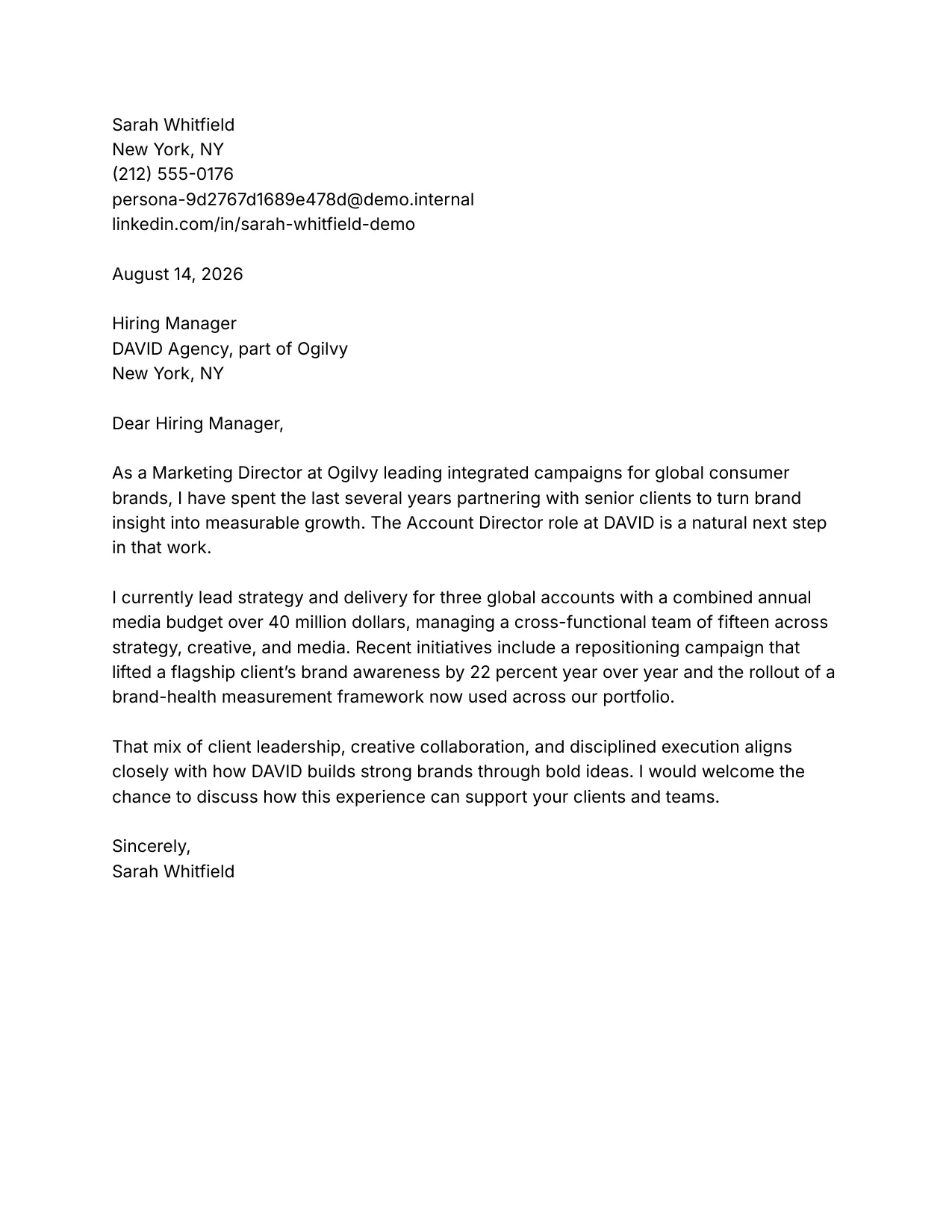
Why a Tailored Cover Letter Still Matters
Generic letters get skimmed and skipped. A letter that mirrors the job description and your real experience gives a hiring manager a fast, clear reason to keep reading. With Callings.ai, every job you save gets a role-specific draft in the Prepare tab, which you can refine with plain-language prompts and export as a .docx or .pdf for that application.
AI Cover Letter Generator FAQ
Common questions about generating tailored cover letters
Try Callings.ai Free
Save a job to your tracker and get a tailored cover letter automatically. Edit it with plain-language prompts, then export and apply.